 By
By
Introduction
Imagine running a business where every department operates in silos—sales, support, and operations all using disconnected tools that never quite share information the way they should. Data gets lost, workflows break, and your team spends more time fixing problems than moving forward.
That’s the gap TechRidy enters.
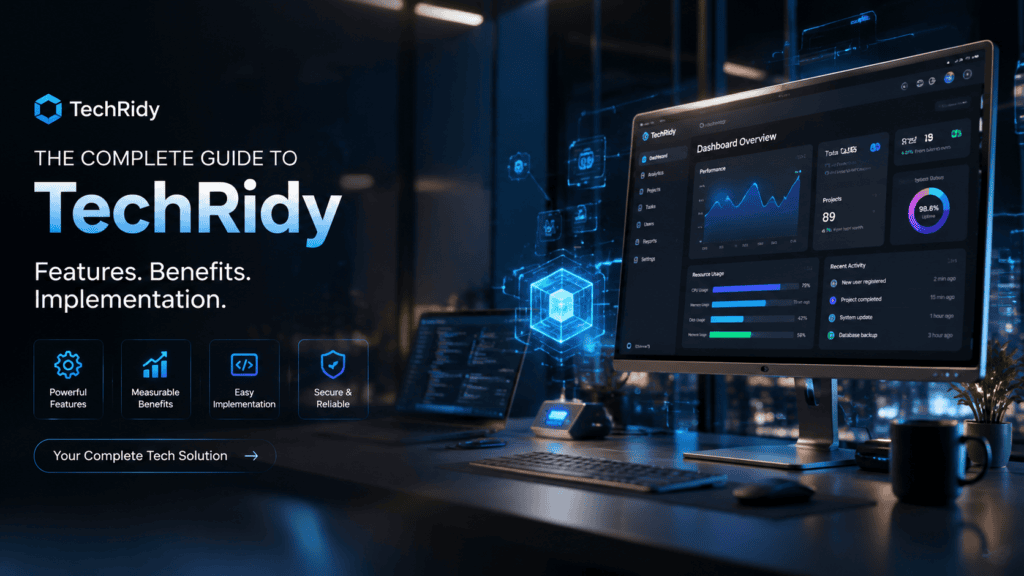
TechRidy has emerged as a platform that aims to unify business operations under a single umbrella. Whether you’re a small business owner tired of juggling five different subscription services or a growing enterprise seeking scalable infrastructure, this guide walks you through everything TechRidy offers—from core features and pricing to real-world implementation strategies.
By the end, you’ll know exactly whether TechRidy fits your organization, how to deploy it effectively, and what challenges to anticipate.
What Is TechRidy? A Clear Definition
TechRidy is a comprehensive business operations platform designed to integrate project management, customer relationship management (CRM), billing, and analytics into a unified ecosystem. Unlike standalone solutions that solve one problem, TechRidy positions itself as the connective tissue between departments—automating workflows that traditionally required manual handoffs.
The platform operates on a cloud-based infrastructure with APIs that connect to existing tools, meaning you don’t have to abandon everything you’re already using. This flexibility makes it particularly attractive for businesses that aren’t ready for a complete overhaul but want to reduce fragmentation.
What distinguishes TechRidy from competitors is its workflow automation layer. Rather than simply storing data, the platform actively routes information between modules based on triggers you define. A new customer in the CRM automatically creates a project in the project management module, generates a billing schedule, and notifies your support team—all without human intervention.
Core Features and Capabilities
TechRidy’s feature set divides into five primary modules, each addressing a specific business function while remaining deeply integrated with the others.
Project Management
The project management module combines familiar task-tracking functionality with resource allocation tools. You can create projects, assign tasks, set dependencies, and visualize progress through Gantt charts or Kanban boards.
Where it differs from dedicated project management tools is its integration layer. When you mark a task complete, TechRidy can automatically update billing milestones, log time against client budgets, and trigger progress notifications to stakeholders. This eliminates the duplicate data entry that plagues many organizations.
Resource management deserves special attention. The platform tracks team member availability, skills, and current workload, helping you assign tasks realistically. If someone is over capacity, the system flags the conflict before you commit to deadlines you can’t meet.
Customer Relationship Management (CRM)
TechRidy’s CRM captures every interaction with leads and customers—emails, calls, meetings, support tickets, and purchases. The system automatically logs communications from connected email accounts and provides a complete timeline for each contact.
Sales teams benefit from pipeline tracking that visualizes deals moving through stages. The analytics layer surfaces which leads are most likely to convert based on historical patterns, helping sales representatives prioritize outreach.
The real value emerges when the CRM connects to other modules. A support ticket from a high-value customer automatically notifies their account manager. A payment failure triggers a workflow that pauses projects until the billing issue resolves. These connections ensure no department operates in isolation.
Billing and Invoicing
The billing module handles recurring invoices, one-time charges, payment processing, and subscription management. You can create custom pricing tiers, set up automatic payment reminders, and apply discounts or credits.
Integration with the project management module enables time-based billing—hours logged against a project automatically appear on the invoice. For service-based businesses, this removes the friction of manually compiling billable hours at month-end.
Payment gateway support includes major providers like Stripe, PayPal, and Square, with transaction fees varying by plan tier. Security compliance includes PCI DSS certification, addressing the concerns organizations face when handling sensitive financial data.
Analytics and Reporting
TechRidy’s analytics engine consolidates data across all modules to provide dashboards tailored to different roles. Finance sees revenue, expenses, and cash flow projections. Operations monitors project health and resource utilization. Sales tracks pipeline velocity and conversion rates.
Custom report building allows you to focus on the metrics that matter to your organization. The system supports scheduled reports that automatically email stakeholders—eliminating the manual export-and-distribute cycle.
What makes the analytics module valuable is its contextualization. Revenue growth is shown alongside customer acquisition cost and churn rate. Project profitability considers both labor costs and overhead allocations. This interconnected view prevents the siloed interpretation of numbers.
Integrations and API
TechRidy offers pre-built connectors for commonly used business software, including:
-
Communication: Slack, Microsoft Teams, email providers
-
Accounting: QuickBooks, Xero
-
Marketing: Mailchimp, HubSpot
-
Storage: Google Drive, Dropbox
-
Development: GitHub, Jira
For tools without pre-built connectors, the REST API allows custom integration. The API documentation includes sample code in Python, PHP, and JavaScript, with clear authentication protocols.
The integration layer doesn’t just pass data—it maps fields between systems. When a deal closes in HubSpot, the information populates the correct fields in TechRidy’s CRM, maintaining data consistency without manual mapping.
Who Is TechRidy For?
Small to medium businesses form TechRidy’s core user base. Organizations with 10–200 employees often experience the most friction from disconnected tools, and they have the operational flexibility to adopt integrated platforms. For these businesses, TechRidy replaces 3–5 standalone tools, reducing both costs and complexity.
Service-based businesses—consultancies, agencies, law firms, and accounting practices—benefit from the seamless connection between project management and billing. Tracking billable hours and generating invoices becomes almost automatic.
Growing enterprises use TechRidy to scale operations without proportionally increasing administrative headcount. As headcount grows, so does the complexity of coordinating teams. TechRidy’s automation layer prevents the operational drag that often accompanies growth.
Non-technical teams appreciate the platform’s usability. While the underlying automation can become sophisticated, the interface remains accessible. Users don’t need coding skills to build basic workflows.
However, organizations with highly specialized needs may find TechRidy less suitable. If you require industry-specific features not covered by the core modules, you’ll need to evaluate whether custom development through the API is viable.
TechRidy Pricing and Plans 2026
TechRidy structures pricing around three tiers, each designed for different organizational needs and budgets.
Starter Plan
Priced at $29/month per user, the Starter plan includes core project management, CRM, and basic reporting. You get 5 GB storage per user, standard integrations, and email support. This tier suits small teams with straightforward operational needs.
Professional Plan
At $49/month per user, Professional adds advanced automation, billing features, custom reports, and priority support. You get 20 GB storage per user and access to all integrations. This plan fits growing businesses that need to connect departments and automate complex workflows.
Enterprise Plan
Enterprise pricing starts at $79/month per user with custom quotes for larger deployments. It includes custom integrations, dedicated account management, advanced security features, and unlimited storage. You also get a service level agreement with guaranteed uptime and response times.
Annual billing provides a 15% discount across all tiers. Enterprise contracts receive additional discounts based on user count and commitment length.
Hidden costs worth considering:
-
Payment processing fees (varies by gateway)
-
Custom integration development (if you need features beyond pre-built connectors)
-
Professional services for migration assistance
-
Additional storage if you exceed plan limits
Implementation: How to Deploy TechRidy
Phase 1: Planning and Discovery
Start by mapping your current workflows. Document every process that TechRidy will handle—from lead qualification to project delivery to final billing. Identify where data currently sits and who owns each step.
This discovery phase reveals potential obstacles. You may find that your billing department uses different terminology than sales. Resolving these inconsistencies before implementation prevents headaches later.
Set clear success metrics. What does “successful adoption” mean for your organization? Common metrics include reduced admin time, fewer data entry errors, faster project delivery, or improved billing accuracy.
Phase 2: Configuration
Configure TechRidy to mirror your organizational structure. Set up user roles and permissions that reflect who needs access to what. Start with a small pilot group rather than deploying organization-wide.
Customize fields to match your data requirements. TechRidy supports custom objects, allowing you to track information specific to your business. Take time to get this right—changing data models mid-implementation disrupts operations.
Build your initial workflows. Start with simple automations—for instance, email notifications when tasks are assigned—before tackling complex conditional logic.
Phase 3: Data Migration
Data migration requires careful planning. Extract data from existing systems, clean it, and map it to TechRidy’s fields. Inconsistent data often causes the most issues—check for variations in client names, product codes, and date formats.
Perform test migrations to identify issues before the full data transfer. Validate that records maintain their integrity and relationships. A billing record should correctly link to its associated client and project.
Schedule the final migration during a low-activity period. Communicate the timeline to everyone affected.
Phase 4: Training and Rollout
Training ensures adoption. TechRidy provides online training materials and webinars, but internal training tailored to your workflows is more effective. Create role-specific guides that show users exactly how to perform their daily tasks.
Launch the platform gradually. Begin with a group of early adopters who can test the system, document issues, and provide feedback. Their insights will make the broader rollout smoother.
Common pitfalls during deployment:
-
Underestimating change management needs
-
Insufficient testing before cutover
-
Overlooking custom field requirements
-
Failing to communicate the transition timeline
Comparison: TechRidy vs. Competitors
| Feature | TechRidy | Monday.com | Salesforce | Zoho One |
|---|---|---|---|---|
| Project Management | Advanced with resource allocation | Strong with multiple views | Limited native | Basic |
| CRM Features | Full-featured | Basic customer tracking | Industry-leading | Full-featured |
| Billing Integration | Native module | Requires integration | Requires integration (via acquisitions) | Native module |
| Automation Layer | Visual workflow builder | Basic automation | Powerful with restrictions | Visual builder |
| Starting Price | $29/user/month | $24/user/month | $25/user/month | $37/user/month |
| Best For | SMBs needing unified ops | Flexible project teams | Enterprise sales | Organizations already in Zoho ecosystem |
Where TechRidy wins: Its billing and project management integration is genuinely native, not stitched together through third-party connections. For service-based businesses, this reduces billing friction significantly.
Where competitors lead: Salesforce dominates complex enterprise sales environments. Monday.com offers more visual customization. Zoho One provides broader application coverage across more business functions.
Expert Analysis: When TechRidy Works—and When It Doesn’t
The most common mistake organizations make with integrated platforms is assuming they’ll solve process problems that are fundamentally human and organizational. TechRidy automates workflows that already exist; it doesn’t fix broken ones.
TechRidy excels when:
-
Your organization has standardized, repeatable processes
-
Team members operate with clear roles and responsibilities
-
You have buy-in from leadership and frontline staff
-
Data quality is already high
TechRidy underperforms when:
-
Processes vary dramatically between teams
-
Your business is in rapid, unpredictable flux
-
You lack internal resources to manage the implementation
-
You treat it as a one-time project rather than a ongoing operational discipline
Another consideration: TechRidy’s integrated model creates dependencies. A failure in one module can affect others. Your reliability expectations should account for this—if billing is down, project management may also be affected.
Common Implementation Mistakes
Organizations repeatedly encounter similar issues during TechRidy deployments. Recognizing these patterns helps you avoid them.
Overautomating too quickly. There’s a temptation to automate everything simultaneously. Start with high-impact, low-risk workflows and expand gradually. Build confidence before scaling complexity.
Ignoring change management. Technology adoption is fundamentally about people. Teams accustomed to existing workflows resist change without clear communication and proper training. Allocate budget and time for change management.
Skipping pilot testing. Direct-to-production deployments rarely succeed. Test with a representative subset of users and processes, gathering feedback and refining your configuration.
Insufficient data cleansing. Migrating incomplete, duplicate, or inconsistent data perpetuates existing problems. Take time to clean your data before migration—it’s easier to fix at source.
Failing to customize. The default configuration fits no one perfectly. Invest time in tailoring fields, workflows, and reports to your business.
How to Maximize TechRidy’s Value
Regular reviews of automation rules. As your business evolves, so should your workflows. Schedule quarterly reviews to validate automation logic and adjust to changing requirements.
Leverage the full reporting suite. Many users underutilize TechRidy’s analytics. Explore dashboards you haven’t used—they often surface insights that drive operational improvements.
Encourage cross-module thinking. Train teams to see beyond their immediate module. Sales understanding project management reduces friction; operations understanding billing helps manage client expectations.
Build integrations thoughtfully. Each integration creates a connection that requires maintenance. Prioritize integrations that deliver significant value and document how they work.
Actively manage user adoption. Track who uses the platform and how. Identify teams that lag and understand their resistance. Sometimes it’s training gaps; sometimes it’s configuration issues.
Use the community. TechRidy maintains user forums and community channels where experienced users share tips and templates. These resources often provide solutions faster than formal support channels.
Security and Compliance Considerations
TechRidy implements standard enterprise security practices: encryption at rest and in transit, SOC 2 Type II certification, regular penetration testing, and role-based access control.
Data sovereignty matters if you operate in regulated regions. TechRidy’s infrastructure includes options for data residency in the US, EU, and Asia-Pacific, with specific data center locations available based on your needs.
Compliance certifications include:
-
SOC 2 Type II
-
ISO 27001
-
GDPR compliance (with Data Processing Agreements available)
-
HIPAA eligibility (requires Business Associate Agreement)
The platform supports Single Sign-On (SSO) through SAML 2.0, enabling integration with major identity providers like Okta, Azure AD, and Google Workspace.
For organizations requiring audit trails, TechRidy logs all significant actions and provides retrieval interfaces. This supports both internal controls and external compliance requirements.
Future Trends: The Evolution of Integrated Platforms
The business software landscape continues moving toward unification. The era of best-of-breed point solutions created fragmentation; the pendulum has swung toward consolidation.
Artificial intelligence will drive the next wave. Already, TechRidy incorporates basic predictive analytics—for example, flagging projects at risk of delay. Expect deeper integration of AI across all modules, from auto-suggested workflows to predictive resource allocation.
Industry-specific vertical solutions represent another trend. Rather than one-size-fits-all, platforms will develop specialized configurations for construction, professional services, healthcare, and other sectors. TechRidy has signaled interest in vertical expansions.
Open ecosystem strategies are gaining traction. Even integrated platforms recognize they cannot build everything. Expect more sophisticated API capabilities and partnership programs that allow specialized tools to plug in.
No-code and low-code capabilities will democratize automation. Business users will build complex workflows without engineering resources—a trend TechRidy already supports through its visual builder.
Actionable Recommendations
If you’re evaluating TechRidy: Run a proof of concept with your actual data and workflows. Theoretical benefits differ from practical reality. Invite a cross-functional team to participate in the evaluation—implementation success depends on broad buy-in.
If you’re implementing TechRidy: Prioritize data quality above all else. Good data makes everything else work. Bad data degrades trust and adoption.
If you’re already using TechRidy: Audit your current usage. Are you using features beyond project management and CRM? Exploring billing and analytics often reveals additional value from your existing investment.
Regardless of your stage: Remember that technology serves business objectives. TechRidy is a means to better operations, not an end in itself. Keep your organizational goals central to all decisions.
Conclusion
TechRidy offers a compelling solution for businesses seeking to unify project management, CRM, billing, and analytics. Its native integration, particularly between service delivery and billing, provides genuine efficiency gains that standalone tools cannot match.
The platform delivers the most value when organizations approach implementation thoughtfully—investing in planning, data quality, and change management. Success doesn’t come from the software alone; it comes from how the software supports deliberate operational discipline.
For many growing businesses, TechRidy represents a significant step forward from disconnected tools. The trade-offs—dependencies, integration effort, and learning curve—are manageable and offset by reduced administrative overhead and improved data consistency.
The question isn’t whether TechRidy is a good platform—it is. The question is whether it fits your organization’s specific context and whether you’re prepared to make the organizational investments required for successful adoption.
Frequently Asked Questions
Is TechRidy suitable for small businesses? Yes, the Starter plan at $29/user/month makes it accessible for small teams. Small businesses with 5–50 employees benefit most from replacing multiple disconnected tools.
Can TechRidy replace QuickBooks or Xero? Not entirely. TechRidy manages invoices and billing but doesn’t provide full accounting functionality. Most organizations keep their accounting software and use TechRidy for operational billing.
What support options are available? All plans include email support. Professional and Enterprise plans add priority support, live chat, and phone support. Enterprise customers receive dedicated account management.
How long does implementation typically take? Basic implementations take 2–4 weeks. Complex deployments with custom integrations and advanced workflows may take 2–3 months. Your internal readiness affects the timeline more than the software itself.
Does TechRidy offer a free trial? Yes, a 14-day free trial is available with full feature access. No credit card is required to start the trial.
Can I migrate data from my existing tools? Yes, TechRidy provides migration tools and services. The complexity depends on your current systems and data quality.
Is TechRidy available offline? The core platform requires internet connectivity. Mobile apps support limited offline functionality, but data syncs when you reconnect.
How does TechRidy handle data privacy? TechRidy complies with GDPR and other privacy regulations. You control access permissions and can delete data upon request.
What’s the cancellation policy? Monthly plans can be cancelled at any time. Annual plans are non-refundable after the initial 30-day period.
Does TechRidy work internationally? Yes, the platform supports multiple languages, currencies, and tax configurations. Data residency options accommodate regional requirements.