
 By
By
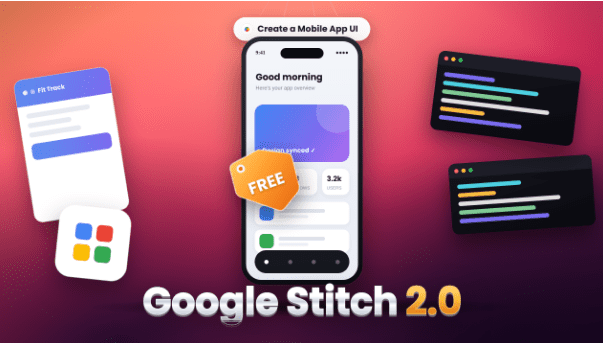
How Google’s “Vibe Design” Platform Is Transforming Product Design, Prototyping, and Front-End Development
Introduction
A few years ago, building a digital product followed a predictable sequence.
A founder described an idea.
A designer translated that idea into wireframes.
A UI designer polished the visuals.
A developer converted those screens into code.
A product team spent weeks—or months—moving from concept to prototype.
Google’s Stitch 2.0 challenges that entire workflow.
Instead of beginning with design tools, component libraries, or wireframes, Stitch starts with intent. You describe what you want, upload a sketch, speak into a microphone, or provide visual inspiration. The system then generates high-fidelity interfaces, interactive prototypes, and front-end code from that input. Google calls this new approach “vibe design.”
The idea sounds ambitious, almost unrealistic at first.
Yet Stitch 2.0 has quickly become one of the most discussed AI product-building tools released by Google Labs. Designers, developers, startup founders, and no-code builders are examining whether this platform represents the next evolution of software creation—or merely another AI experiment. Industry reactions have been significant enough that some analysts linked the launch announcement to immediate market concerns around traditional design platforms.
The bigger story isn’t whether Stitch can create attractive screens.
The bigger story is that Google is attempting to collapse the gap between imagination, design, and implementation.
For anyone building apps, websites, SaaS products, dashboards, marketplaces, or digital experiences, Stitch 2.0 deserves serious attention.
Search Intent Analysis: Why People Are Searching for Stitch 2.0
Before diving into features and capabilities, it helps to understand what users actually want to know.
Primary Search Intent
Users want to understand:
- What Stitch 2.0 is
- How it works
- Whether it is free
- How it compares to Figma, v0, Lovable, and other AI design tools
- Whether it can replace traditional UI/UX workflows
Secondary Intent
Users also want answers to:
- Can Stitch generate real code?
- Is it useful for startups?
- Does it support collaborative design?
- Can non-designers use it effectively?
- How good is the output quality?
Emotional Intent
Many searchers are experiencing a mix of curiosity and concern.
Designers wonder:
“Is AI replacing UI design?”
Founders wonder:
“Can I build products faster?”
Developers wonder:
“Can this eliminate repetitive front-end work?”
The Core Outcome Users Want
People want a faster path from idea to product.
Stitch 2.0 promises exactly that.
What Is Stitch 2.0 by Google?
Google Stitch 2.0 is an AI-native software design platform developed within Google Labs.
The platform generates user interfaces from:
- Natural language prompts
- Voice instructions
- Screenshots
- Sketches
- Images
- Existing code
Instead of functioning as a traditional design editor, Stitch operates more like an AI collaborator capable of understanding goals, context, design direction, and user experience requirements.
Google describes Stitch as an AI-native design canvas that helps users create, iterate, and collaborate on high-fidelity interfaces using natural language.
In practical terms, you might type:
Create a modern fintech dashboard for freelancers with dark mode, analytics cards, invoice tracking, and premium visual styling.
Within moments, Stitch generates a visual interface that can be refined through conversation.
The Evolution from Stitch to Stitch 2.0
The original Stitch emerged during Google’s broader AI product-building initiative and focused primarily on converting prompts into UI layouts and front-end code.
Stitch 2.0 dramatically expands that vision.
The latest version introduces:
| Feature | Original Stitch | Stitch 2.0 |
|---|---|---|
| Text-to-UI | Yes | Enhanced |
| Voice Input | Limited | Advanced |
| Infinite Canvas | No | Yes |
| AI Design Agent | Basic | Advanced |
| Project Memory | Minimal | Full Context |
| Parallel Exploration | No | Yes |
| Interactive Prototypes | Partial | Full |
| Design System Portability | Limited | DESIGN.md |
| Collaboration | Basic | Enhanced |
These upgrades move Stitch beyond simple generation into a comprehensive design workflow platform.
Understanding Google’s “Vibe Design” Concept
Perhaps the most interesting aspect of Stitch 2.0 is Google’s introduction of the phrase:
Vibe Design
Traditional design tools ask users:
- What components do you need?
- Where should elements go?
- Which colors should be used?
Vibe design asks something different:
- What should this product feel like?
- Who is the audience?
- What emotional response should users experience?
Rather than specifying exact layouts, creators describe intentions, moods, brand personality, and business goals. Stitch interprets these directions and generates interfaces aligned with those objectives.
For example:
Instead of saying:
Create a dashboard with four analytics cards.
You might say:
Design a dashboard that feels trustworthy, premium, and optimized for financial professionals.
The AI then translates those abstract concepts into concrete interface decisions.
This shift is significant because most founders and product thinkers naturally think in outcomes, not components.
Key Features of Stitch 2.0
1. AI-Native Infinite Canvas
The infinite canvas acts as a central workspace where users can combine:
- Images
- Text
- Wireframes
- Existing code
- Design references
The AI uses this context to generate and improve interfaces.
This eliminates much of the fragmentation common in traditional design workflows.
2. Voice-Based Design
One of the standout additions is voice-driven design.
Users can speak naturally and request:
- Design changes
- Layout improvements
- New screens
- UX critiques
- Feature additions
The experience resembles working with a live design partner rather than operating software.
3. Intelligent Design Agent
The new AI design agent tracks project evolution across the entire design process.
Unlike earlier AI tools that forget context between prompts, Stitch maintains awareness of:
- Previous decisions
- Design language
- Brand direction
- User flows
- System architecture
This dramatically improves consistency.
4. Parallel Design Exploration
One of the most powerful capabilities is the ability to explore multiple directions simultaneously.
Teams can generate:
- Different visual styles
- Alternative user flows
- Various branding approaches
- Multiple onboarding experiences
without losing earlier work.
5. Interactive Prototyping
Stitch goes beyond static screens.
Generated interfaces can become interactive prototypes, helping teams test experiences before development begins.
6. Front-End Code Generation
Perhaps the most disruptive capability is direct code generation.
The platform can export:
- HTML
- CSS
- Front-end components
- React-based implementations
This creates a shorter path from concept to deployment.
Why Stitch 2.0 Matters for Startups
Startups often face three major bottlenecks:
Design Cost
Professional UI/UX design can be expensive.
Development Time
Front-end implementation consumes significant resources.
Product Validation
Teams need prototypes quickly.
Stitch attacks all three simultaneously.
A founder can:
- Describe an idea
- Generate interfaces
- Create prototypes
- Export code
- Test concepts
within hours rather than weeks.
That speed advantage may become one of Stitch’s biggest strengths.
Stitch 2.0 vs Figma
The comparison everyone wants to discuss.
| Category | Stitch 2.0 | Figma |
|---|---|---|
| AI Generation | Excellent | Growing |
| Manual Design Precision | Moderate | Excellent |
| Team Design Systems | Improving | Industry Leading |
| Learning Curve | Low | Moderate |
| Front-End Generation | Strong | Limited |
| Rapid Prototyping | Excellent | Strong |
| Design Freedom | Moderate | Excellent |
| Non-Designer Accessibility | Excellent | Moderate |
Reality Check
Stitch does not fully replace Figma today.
Professional product teams still require:
- Advanced component management
- Enterprise workflows
- Design governance
- Precision control
However, Stitch dramatically accelerates early-stage product creation.
Practical Use Cases
SaaS Founders
Generate complete dashboards, onboarding flows, and admin panels.
Freelance Designers
Use Stitch for concept generation and early-stage ideation.
Agencies
Rapidly prototype client ideas before investing in detailed design work.
Developers
Reduce time spent building repetitive UI components.
Product Managers
Visualize product concepts without waiting for design resources.
Expert Analysis: What Stitch 2.0 Really Signals
Most discussions focus on the technology.
The larger trend is workflow compression.
Historically:
Idea → Design → Prototype → Code → Product
AI is turning that into:
Idea → Product Candidate
The gap between imagination and execution is shrinking.
Google’s broader AI strategy appears focused on reducing friction between creativity and software development. Stitch is one of the clearest examples of that philosophy.
The winners in this environment won’t necessarily be those who design fastest.
They’ll be those who validate ideas fastest.
Common Misconceptions About Stitch 2.0
Myth 1: It Replaces Designers
No.
It automates portions of design.
Human judgment remains critical.
Myth 2: Generated UI Is Production Perfect
Not always.
Outputs often require refinement and validation.
Myth 3: Anyone Can Build Enterprise Software Instantly
Stitch accelerates workflows.
It doesn’t eliminate product strategy, UX research, engineering architecture, or testing.
Myth 4: AI-Generated Design Is Always Consistent
Some users have reported inconsistencies across large projects and iterative edits, highlighting the need for human review.
Best Practices for Using Stitch 2.0
Start With Outcomes
Focus on user goals rather than visual components.
Better Prompt
“Create a dashboard that helps freelancers track income and feel confident about finances.”
Weaker Prompt
“Create four cards and a chart.”
Use Reference Material
Upload:
- Screenshots
- Competitor designs
- Wireframes
- Brand assets
The additional context improves output quality.
Iterate in Layers
Instead of requesting everything at once:
- Generate structure
- Improve UX
- Refine visuals
- Optimize interactions
- Export code
Maintain Human Review
Always evaluate:
- Accessibility
- Usability
- Conversion paths
- Business objectives
AI remains an assistant, not a replacement for strategic thinking.
Strengths and Limitations
Strengths
Extremely fast prototyping
Low learning curve
Voice-driven workflows
Strong AI assistance
Front-end generation
Accessible to non-designers
Rapid experimentation
Limitations
Not yet a complete Figma replacement
Large projects may need refinement
Enterprise workflows are still evolving
Design consistency occasionally requires manual correction
Complex systems demand human oversight
The Future of AI-Powered Design
Stitch 2.0 may be remembered less for its specific features and more for introducing a new way of thinking about product creation.
Design tools historically required users to understand software.
AI-native design tools increasingly attempt to understand users.
That reversal changes the relationship between people and technology.
As AI models continue improving, future design platforms may evolve into creative partners capable of handling substantial portions of ideation, prototyping, testing, and implementation.
Stitch appears to be Google’s first serious attempt at that future.
Final Thoughts
Stitch 2.0 is not merely another AI design generator.
It represents Google’s vision for how software products may be conceived, designed, and built over the next decade.
Its combination of natural language design, voice interaction, intelligent agents, infinite canvas workflows, prototyping, and code generation creates one of the most ambitious AI-assisted design environments currently available.
For startups, founders, product managers, developers, and designers, the value isn’t simply faster screen creation.
The value lies in reducing the distance between an idea and something real enough to test.
And in product development, speed of learning often matters more than speed of building.
Frequently Asked Questions (FAQ)
Is Stitch 2.0 free to use?
Google launched Stitch through Google Labs with free access for many users, though usage limits and future pricing models may evolve over time.
What is Vibe Design?
Vibe Design is Google’s approach to AI-assisted UI creation where users describe intent, mood, audience, and goals instead of manually specifying interface details.
Can Stitch generate production-ready code?
Yes. Stitch can export front-end code and UI implementations, including web-focused output that developers can refine further.
Is Stitch better than Figma?
They serve different purposes. Stitch excels at AI-powered ideation and rapid prototyping, while Figma remains stronger for advanced professional design workflows.
Can beginners use Stitch?
Yes. One of Stitch’s biggest advantages is accessibility for non-designers and non-technical creators.
Does Stitch support voice commands?
Yes. Voice-driven design is one of the major upgrades introduced in Stitch 2.0.
Who should use Stitch 2.0?
Startup founders, developers, designers, agencies, product managers, entrepreneurs, and no-code builders can all benefit from the platform.
Can Stitch replace UI/UX designers?
No. It automates design generation and iteration, but strategic UX thinking, research, accessibility reviews, and product judgment still require human expertise.
What makes Stitch different from other AI design tools?
Its AI-native canvas, project-aware design agent, voice interaction, parallel design exploration, and integrated code generation distinguish it from many current competitors.
Is Stitch the future of software design?
It is too early to make definitive claims, but Stitch 2.0 clearly demonstrates the direction AI-assisted product creation is heading: fewer tools, faster iteration, and a much shorter path from idea to working software.