
 By
By
Introduction
For years, artificial intelligence has largely lived in separate browser tabs, chat windows, and standalone applications. Users would write a prompt, copy the result, switch back to their document, spreadsheet, presentation, or email, and then manually continue their workflow. The process worked, but it never felt truly integrated.
That model is beginning to change.
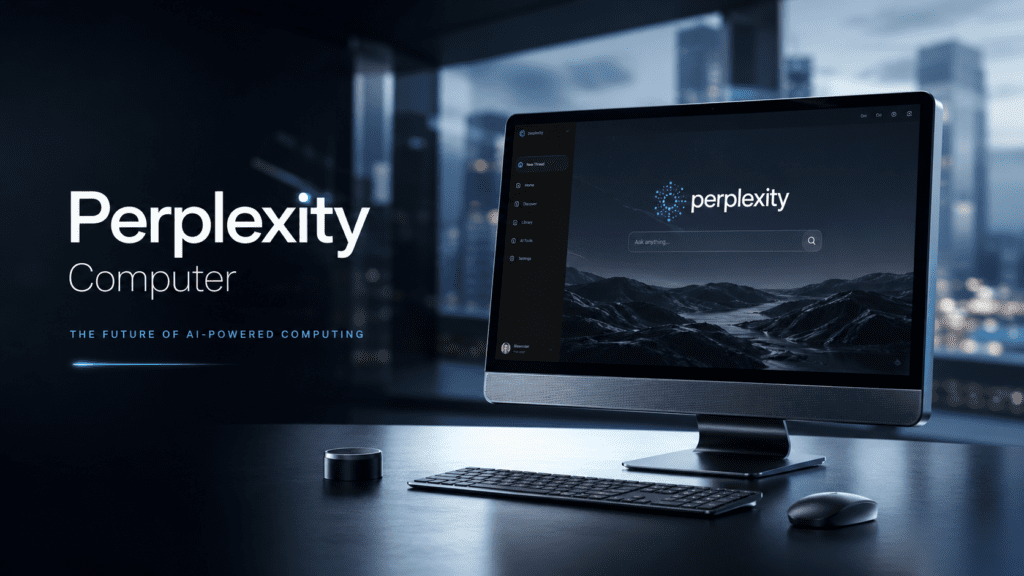
Perplexity Computer represents a significant shift in how people interact with AI-powered productivity tools. Rather than existing outside the software where work actually happens, Perplexity is pushing deeper into workplace environments by integrating AI capabilities directly into applications such as Excel, Word, PowerPoint, and Outlook.
The implications are much larger than adding another chatbot to office software.
The concept behind Perplexity Computer centers on creating an AI assistant that can actively understand context, access information, assist with workflows, automate repetitive tasks, and help users complete complex projects without constantly jumping between applications. For professionals who spend hours every day inside productivity software, this approach has the potential to reduce friction, accelerate decision-making, and fundamentally alter how knowledge work is performed.
Yet the excitement surrounding Perplexity Computer has also created confusion.
Is it simply another AI assistant?
How does it differ from Microsoft Copilot?
Can it actually perform meaningful work inside Office applications?
Will it replace traditional productivity workflows?
And what does its emergence reveal about the future of workplace AI?
This comprehensive guide answers those questions while exploring the technology, use cases, advantages, limitations, and broader implications of Perplexity Computer in the rapidly evolving AI ecosystem.
Understanding Perplexity Computer
Perplexity Computer is an AI-powered productivity environment designed to interact directly with desktop workflows and professional software applications.
Rather than functioning solely as a conversational search engine, the platform aims to become an active participant in workplace tasks.
The underlying vision is straightforward:
Instead of asking AI for information and manually implementing it yourself, the AI assists within the actual software environment where work is being completed.
This means users can potentially:
- Analyze spreadsheets
- Generate reports
- Draft emails
- Build presentations
- Summarize documents
- Research information
- Automate repetitive workflows
- Organize data across multiple applications
The result is a more seamless relationship between artificial intelligence and productivity software.
Why Perplexity Is Expanding Beyond Search
Perplexity initially gained recognition for AI-powered answer engines that combined conversational interaction with source-backed information retrieval.
The company’s reputation was built around helping users find accurate answers faster than traditional search engines.
However, search alone has limitations.
Most professionals do not simply need answers.
They need outcomes.
A financial analyst needs a completed report.
A marketer needs a presentation deck.
A sales manager needs client communications.
An operations executive needs actionable data insights.
The gap between information and execution remains one of the largest inefficiencies in modern knowledge work.
Perplexity Computer attempts to close that gap.
Instead of ending the interaction after delivering information, the platform seeks to assist with the actual work that follows.
The Evolution of Workplace AI
To understand Perplexity Computer, it helps to look at the broader evolution of workplace artificial intelligence.
Phase 1: Search Assistance
Early AI systems focused primarily on information retrieval.
Users searched for answers and received links or documents.
Examples included:
- Traditional search engines
- Enterprise search tools
- Knowledge management systems
Phase 2: Conversational AI
Large language models introduced natural language interaction.
Users could ask complex questions and receive synthesized responses.
Examples included:
- ChatGPT
- Perplexity Search
- Claude
- Gemini
Phase 3: Productivity Integration
The next phase involves embedding AI directly into productivity software.
Rather than functioning as a separate destination, AI becomes part of the workflow itself.
This is where Perplexity Computer enters the market.
Phase 4: Autonomous Work Assistance
Future systems may move beyond assistance toward partial task execution.
These systems could:
- Conduct research
- Organize information
- Create deliverables
- Manage communications
- Coordinate workflows
with minimal human intervention.
Perplexity Computer appears to be an early step toward that future.
Key Features of Perplexity Computer
Office Application Integration
One of the most significant developments is integration within major productivity applications.
Potential capabilities include:
Microsoft Word
Users may be able to:
- Draft reports
- Rewrite content
- Summarize documents
- Improve clarity
- Generate outlines
- Create executive summaries
Instead of copying text between platforms, AI assistance becomes available directly within the writing environment.
Microsoft Excel
Spreadsheet workflows are often time-consuming and technically demanding.
Perplexity Computer could assist with:
- Formula generation
- Data interpretation
- Trend analysis
- Forecast creation
- Dashboard recommendations
- Spreadsheet explanations
For non-technical users, this dramatically lowers the barrier to advanced spreadsheet analysis.
Microsoft PowerPoint
Presentation creation often consumes hours of professional time.
AI integration can potentially:
- Generate slide structures
- Create summaries
- Suggest visual narratives
- Organize research findings
- Improve storytelling flow
The goal is faster presentation development without sacrificing quality.
Microsoft Outlook
Email remains one of the largest productivity bottlenecks.
Perplexity Computer may assist with:
- Drafting replies
- Summarizing threads
- Prioritizing communication
- Creating follow-ups
- Extracting action items
This could significantly reduce email overload for professionals managing large inboxes.
How Perplexity Computer Differs From Traditional AI Chatbots
Many people assume every AI assistant works similarly.
That assumption is increasingly inaccurate.
| Traditional AI Chatbots | Perplexity Computer Approach |
|---|---|
| Separate interface | Embedded workflow integration |
| Information delivery | Information plus execution support |
| Context resets frequently | Context tied to active work |
| Manual implementation | Assisted implementation |
| Task-focused conversations | Workflow-focused assistance |
The distinction is subtle but important.
Traditional AI helps users think.
Workflow AI helps users do.
Real-World Use Cases
Financial Analysis
Imagine a finance professional reviewing quarterly performance data.
Instead of:
- Exporting spreadsheets
- Analyzing manually
- Writing reports separately
- Creating presentations afterward
Perplexity Computer could assist throughout the process.
The AI might:
- Identify trends
- Explain anomalies
- Draft summaries
- Suggest visualizations
- Generate presentation content
This compresses hours of work into a significantly shorter timeline.
Marketing Teams
Marketing departments frequently handle:
- Campaign reports
- Market research
- Content planning
- Executive presentations
Perplexity Computer can potentially streamline these workflows by connecting research, analysis, and content creation into a unified experience.
Sales Organizations
Sales professionals often juggle:
- CRM data
- Email communications
- Proposal creation
- Customer research
Integrated AI support can help synthesize information across these activities and reduce administrative overhead.
Consulting Firms
Consultants spend substantial time:
- Gathering data
- Building decks
- Writing reports
- Conducting research
Workflow-integrated AI directly targets these labor-intensive activities.
Small Businesses
Many small business owners lack dedicated analysts, marketers, or administrative teams.
Perplexity Computer may function as a force multiplier by providing advanced assistance without requiring additional staff.
The Competitive Landscape
Perplexity is entering a highly competitive environment.
Major competitors include:
Microsoft Copilot
Microsoft’s advantage lies in native Office integration and deep enterprise adoption.
Copilot already enjoys access to Microsoft’s extensive ecosystem.
OpenAI
OpenAI continues expanding productivity capabilities through ChatGPT and enterprise offerings.
Google Gemini
Google is integrating Gemini into Workspace products such as Docs, Sheets, and Gmail.
Anthropic Claude
Claude has gained popularity for document analysis, writing assistance, and enterprise knowledge work.
The competition is increasingly shifting from model quality alone toward workflow integration and execution capabilities.
Benefits of Perplexity Computer
Reduced Context Switching
Research consistently shows that switching between applications reduces productivity.
Embedding AI directly into workflows minimizes interruptions.
Faster Knowledge Work
Professionals spend substantial time:
- Searching
- Organizing
- Summarizing
- Formatting
AI can automate many of these tasks.
Enhanced Accessibility
Advanced analytical tasks often require specialized skills.
Perplexity Computer can make sophisticated workflows accessible to a broader audience.
Better Information Utilization
Many organizations possess enormous quantities of data but struggle to extract value from it.
Integrated AI can help surface insights more efficiently.
Increased Productivity
The cumulative effect of small workflow improvements often produces significant productivity gains across organizations.
Challenges and Limitations
Despite the enthusiasm, important limitations remain.
Accuracy Risks
AI-generated outputs still require verification.
Incorrect calculations, misinterpretations, or hallucinated information can create business risks.
Security Concerns
Organizations handling sensitive information must carefully evaluate:
- Data privacy
- Access controls
- Compliance requirements
- Information governance
Enterprise adoption depends heavily on trust and security.
User Dependency
Excessive reliance on AI may weaken critical thinking and analytical skills if users stop validating outputs.
Workflow Complexity
Not every business process can be automated easily.
Highly specialized industries often require domain expertise that exceeds current AI capabilities.
Common Misconceptions About Perplexity Computer
Myth 1: It Replaces Human Workers
AI systems remain tools.
They enhance productivity but generally require human oversight, judgment, and decision-making.
Myth 2: It Is Just Another Chatbot
The emphasis on workflow integration distinguishes Perplexity Computer from conventional conversational AI platforms.
Myth 3: AI Can Handle Everything Automatically
Human review remains essential.
Complex projects still require expertise, context, and accountability.
Myth 4: Productivity Gains Are Instant
Organizations typically need training, process adjustments, and adoption strategies before realizing substantial benefits.
Expert Analysis: Why This Shift Matters
The most important aspect of Perplexity Computer is not a specific feature.
It is the broader strategic direction it represents.
For decades, software applications were the primary interface between humans and digital work.
Today, AI is becoming a new interface layer that sits above traditional software.
Instead of learning increasingly complex tools, users can increasingly communicate intentions through natural language.
That changes the relationship between humans and technology.
Historically:
- Humans learned software.
- Humans adapted to interfaces.
- Humans executed workflows manually.
The emerging model is different:
- Humans describe objectives.
- AI interprets intent.
- Software executes tasks.
Perplexity Computer embodies this transition.
Whether Perplexity ultimately dominates the category is less important than what the product signals about the future of knowledge work.
The industry is moving toward AI-native productivity environments where software becomes increasingly invisible and outcomes become the primary focus.
Best Practices for Using Perplexity Computer
Verify Important Outputs
Always review:
- Financial calculations
- Business recommendations
- Legal content
- Strategic analyses
AI should augment judgment, not replace it.
Use Clear Instructions
Specific prompts produce better outcomes than vague requests.
Provide:
- Objectives
- Constraints
- Context
- Desired formats
Keep Human Oversight
Treat AI as a highly capable assistant rather than an autonomous decision-maker.
Start With Repetitive Tasks
The highest return often comes from automating routine work first.
Examples include:
- Email drafting
- Report summaries
- Data categorization
- Meeting notes
Develop AI Literacy
Organizations that understand AI strengths and limitations generally achieve better results than those pursuing automation blindly.
The Future of Perplexity Computer
Several trends suggest where Perplexity Computer could evolve next.
Potential developments include:
- Multi-application workflow orchestration
- Autonomous task execution
- Enterprise knowledge integration
- Real-time collaboration support
- Advanced data analysis
- Personalized workflow optimization
As AI models improve, the distinction between assistant and collaborator may continue to blur.
The next generation of productivity tools will likely focus less on generating text and more on completing meaningful work.
Perplexity Computer appears positioned within that transformation.
Final Thoughts
Perplexity Computer is part of a larger movement that is redefining how people interact with software, information, and workplace tasks. Its significance extends beyond adding AI features to Office applications. The platform reflects a growing industry belief that productivity tools should not merely store information or facilitate communication—they should actively help users achieve outcomes.
For professionals, the appeal is obvious: less time spent navigating software, organizing information, and managing repetitive processes. For businesses, the potential value lies in faster decision-making, greater efficiency, and improved utilization of organizational knowledge.
The technology remains early in its evolution, and challenges involving accuracy, security, governance, and user trust will continue to shape adoption. Yet the direction is increasingly clear. AI is moving closer to the center of everyday work, and workflow-integrated systems like Perplexity Computer offer a glimpse into what that future may look like.
Frequently Asked Questions (FAQ)
What is Perplexity Computer?
Perplexity Computer is an AI-powered productivity environment designed to assist users directly within workplace software and workflows rather than functioning solely as a standalone chatbot or search tool.
How does Perplexity Computer work?
It integrates AI assistance into productivity applications, allowing users to research, analyze, write, summarize, and manage tasks without constantly switching between separate tools.
Can Perplexity Computer be used with Microsoft Office?
The platform has been positioned around integration with applications such as Word, Excel, PowerPoint, and Outlook to streamline workplace productivity.
How is Perplexity Computer different from Microsoft Copilot?
While both focus on AI-powered productivity, Perplexity emphasizes its answer-engine expertise and workflow assistance model, whereas Copilot benefits from Microsoft’s native ecosystem integration.
Is Perplexity Computer suitable for businesses?
Yes. Businesses can potentially use it for reporting, data analysis, communication management, research, and productivity optimization, though security and compliance considerations remain important.
Can Perplexity Computer automate work?
It can assist with many repetitive tasks and workflow activities, but human oversight remains essential for critical decisions and accuracy verification.
Will AI productivity tools replace employees?
Current AI systems are better viewed as productivity enhancers rather than direct replacements for human expertise, judgment, creativity, and accountability.
What industries can benefit most from Perplexity Computer?
Finance, consulting, marketing, sales, operations, research, education, and small business environments are among the sectors likely to benefit from workflow-integrated AI assistance.
What are the biggest risks of using Perplexity Computer?
Potential risks include inaccurate outputs, privacy concerns, overreliance on AI-generated recommendations, and compliance challenges when handling sensitive information.
What does Perplexity Computer indicate about the future of work?
It signals a shift toward AI-native productivity environments where software increasingly understands user intent, assists with execution, and reduces manual workflow friction.