
 By
By
Introduction
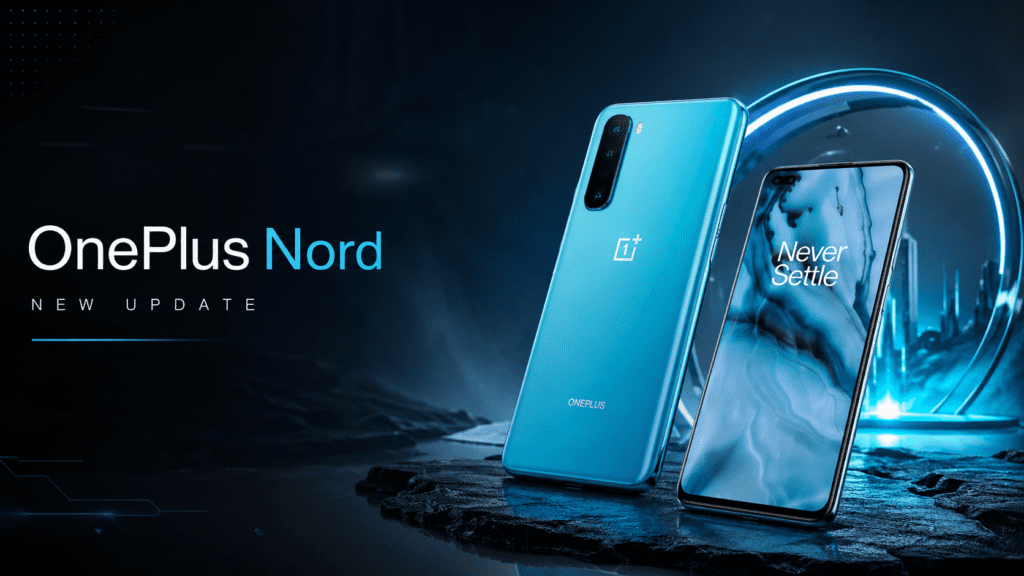
For millions of users worldwide, a smartphone update is more than a routine software download. It can determine how secure a device remains, how smoothly it performs, and whether it continues to feel modern years after purchase. That reality makes the OnePlus Nord update one of the most searched topics among Nord users.
Whether you own a Nord CE, Nord N-series device, or one of the flagship Nord models, keeping track of software updates has become increasingly important. Android upgrades now bring significant changes in privacy controls, AI-powered features, battery optimization, security protections, and user interface enhancements. At the same time, many users are confused about which Nord devices still receive updates, how long OnePlus supports them, and what to do when an update fails to appear.
The Nord lineup has evolved dramatically since its debut. What began as OnePlus’s effort to bring premium experiences to a more affordable price point has expanded into a diverse family of smartphones serving different markets and budgets. With each generation, OnePlus has refined its update strategy, promising longer software support and more consistent security maintenance.
This guide explains everything users need to know about OnePlus Nord updates—from Android version upgrades and OxygenOS releases to update schedules, troubleshooting methods, security patches, and future support expectations. Whether you’re a new Nord owner or a long-time OnePlus enthusiast, you’ll find practical answers to the questions that matter most.
Understanding the OnePlus Nord Update Ecosystem
When people search for “OnePlus Nord update,” they are often referring to one of three different types of software updates:
| Update Type | Purpose | Frequency |
|---|---|---|
| Android Version Updates | Major operating system upgrades | Usually once per year |
| OxygenOS Updates | Feature improvements and UI enhancements | Several times per year |
| Security Patches | Security vulnerability fixes | Monthly, bi-monthly, or quarterly depending on device |
| Hotfix Updates | Bug fixes and stability improvements | As needed |
Understanding these categories helps users set realistic expectations.
A major Android upgrade may introduce new system-wide capabilities, while smaller OxygenOS updates typically focus on performance, customization, camera improvements, and battery optimization.
What Is OxygenOS and Why Does It Matter?
OnePlus smartphones run OxygenOS, the company’s customized version of Android.
Over the years, OxygenOS has evolved from a lightweight Android skin into a feature-rich platform offering:
- Enhanced multitasking
- Improved privacy controls
- Advanced customization options
- Gaming optimization
- AI-powered battery management
- Better notification handling
- Refined animations
- Performance enhancements
Every OnePlus Nord update usually includes OxygenOS refinements alongside Android improvements.
For users, this means software updates can deliver noticeable improvements even when they are not full Android upgrades.
OnePlus Nord Software Update Policy
OnePlus has significantly improved its software support commitments in recent years.
The exact support duration depends on the Nord model.
Typical Support Timeline
| Device Category | Android Updates | Security Updates |
|---|---|---|
| Premium Nord Models | Up to 3–4 years | Up to 4–5 years |
| Nord CE Series | Usually 2–3 years | 3–4 years |
| Nord N Series | Generally 1–2 years | 2–3 years |
The company has gradually extended support periods to remain competitive with other Android manufacturers.
This change benefits users by extending device longevity and improving resale value.
Latest Features Commonly Introduced Through OnePlus Nord Updates
Software updates are no longer just bug-fix packages.
Recent OnePlus Nord updates have introduced features such as:
Enhanced Privacy Dashboard
Users gain greater visibility into:
- Camera usage
- Microphone access
- Location permissions
- Background app activity
This provides stronger control over personal data.
Improved Battery Management
Modern updates often include:
- Smarter charging algorithms
- Battery health protection
- Reduced background power consumption
- Adaptive app behavior
These improvements can significantly extend battery lifespan over time.
AI-Powered Performance Optimization
Newer OxygenOS versions leverage machine learning to:
- Predict app usage patterns
- Optimize memory allocation
- Reduce app launch times
- Improve multitasking efficiency
As a result, devices often feel faster even without hardware upgrades.
Better Gaming Performance
Gamers frequently benefit from updates through:
- Improved frame stability
- Reduced touch latency
- Enhanced thermal management
- Network optimization
These improvements are especially valuable on mid-range Nord devices.
How to Check for a OnePlus Nord Update
Many users wait for update notifications, but manual checking is simple.
Open:
Settings → About Device → OxygenOS → Check for Updates
Tap:
Download and Install
if an update is available.
Ensure:
- Battery level exceeds 50%
- Stable Wi-Fi connection
- Sufficient storage space
before beginning installation.
Why Updates Arrive at Different Times
One of the biggest sources of confusion among users is rollout timing.
Even two people with the same Nord model may receive updates on different days.
This happens because OnePlus uses a staged rollout process.
Reasons for Delayed Availability
Regional Testing
Updates are often released region by region.
Carrier Certification
Some mobile operators require additional testing before approval.
Bug Monitoring
OnePlus monitors early adopters to detect:
- Battery drain issues
- Connectivity problems
- Application crashes
If serious problems appear, deployment may pause temporarily.
Most Common OnePlus Nord Update Problems
Despite extensive testing, update-related issues occasionally occur.
Update Not Showing
Possible causes:
- Staged rollout not yet reached your device
- Region-specific release delays
- Temporary server limitations
Solution
- Check again after several days
- Restart the device
- Clear update service cache
Installation Failure
Common reasons include:
- Low storage space
- Interrupted downloads
- Corrupted update files
Solution
- Free at least 5–10 GB of storage
- Re-download the update
- Restart before installation
Battery Drain After Update
This is among the most frequently reported concerns.
Following major updates, Android often:
- Rebuilds system indexes
- Re-optimizes applications
- Learns usage behavior again
Battery performance usually stabilizes within several days.
App Compatibility Issues
Certain applications may not immediately support new Android versions.
Solutions include:
- Updating affected apps
- Reinstalling problematic applications
- Waiting for developer patches
Major Android Versions and Their Impact on Nord Devices
Each Android release brings meaningful changes.
Android 13
Key additions included:
- Improved Material You customization
- Better notification controls
- Enhanced privacy features
- Per-app language settings
Android 14
Focused heavily on:
- Security improvements
- Accessibility upgrades
- Battery optimization
- Background process management
Android 15
Introduced:
- Enhanced multitasking
- Improved device security
- Better large-screen support
- Advanced privacy controls
Many eligible Nord models have benefited significantly from these changes.
How Updates Improve Security
Security updates often receive less attention than feature upgrades, yet they are arguably more important.
Every month, researchers discover vulnerabilities affecting Android devices.
Security patches help protect against:
- Malware attacks
- Data theft
- Remote exploits
- Network vulnerabilities
- Application abuse
Ignoring updates can leave devices exposed to known threats.
For this reason alone, installing OnePlus Nord updates promptly is highly recommended.
Expert Analysis: Why OnePlus Has Changed Its Update Strategy
The smartphone market has matured.
Consumers now keep devices longer than they did five years ago.
A phone purchased today may remain in active use for four or five years.
Manufacturers that fail to provide long-term updates risk losing customer trust.
OnePlus recognized this shift and gradually expanded support commitments across its product portfolio.
The strategy offers several advantages:
For Users
- Longer device lifespan
- Better security
- Higher resale value
- Improved user experience
For OnePlus
- Stronger brand loyalty
- Increased customer retention
- Better competitiveness against rival Android brands
The result is a healthier ecosystem that benefits both parties.
Practical Example: How an Update Can Transform Daily Use
Consider a Nord user experiencing:
- Slow app launches
- Inconsistent battery life
- Occasional system lag
After receiving a major OxygenOS update, improvements may include:
| Before Update | After Update |
|---|---|
| Slower multitasking | Faster memory management |
| Higher idle battery drain | Better background optimization |
| Occasional stutters | Smoother animations |
| Older security patch | Latest security protections |
While updates cannot turn older hardware into a new phone, they often provide meaningful improvements that extend usability.
Common Myths About OnePlus Nord Updates
Myth 1: Updates Always Slow Down Phones
Reality:
Most modern updates are optimized for supported hardware.
Performance problems are usually temporary or linked to specific software bugs.
Myth 2: Security Updates Are Optional
Reality:
Security patches address known vulnerabilities and are among the most important updates available.
Myth 3: Updating Immediately Is Dangerous
Reality:
Major bugs are relatively uncommon.
For most users, updating within a reasonable timeframe is beneficial.
Myth 4: Factory Reset Is Required After Every Update
Reality:
A factory reset is generally unnecessary unless severe issues occur.
Best Practices Before Installing a OnePlus Nord Update
Use this checklist before updating:
Pre-Update Checklist
Back up important data
Charge battery above 50%
Connect to Wi-Fi
Verify available storage
Update critical applications
Review update notes
Avoid interrupting installation
Following these steps reduces the likelihood of update-related complications.
Future of OnePlus Nord Updates
Software support is becoming a major purchasing factor.
Industry trends suggest:
- Longer Android support periods
- More frequent security patches
- AI-powered system enhancements
- Cloud-integrated features
- Stronger privacy protections
Future Nord devices are expected to receive even more comprehensive update commitments as competition intensifies across the Android market.
For buyers evaluating a new Nord smartphone, software longevity may soon become just as important as camera quality or processing power.
Should You Install OnePlus Nord Updates Immediately?
For most users, the answer is yes.
Exceptions may include:
- Enterprise users dependent on specialized apps
- Individuals running critical business software
- Users waiting to confirm stability reports after major upgrades
For everyday consumers, timely updates deliver:
- Better security
- Improved performance
- New features
- Bug fixes
- Enhanced reliability
The benefits generally outweigh the risks.
Conclusion
The OnePlus Nord update ecosystem has matured significantly over the years. What once consisted mainly of occasional feature additions has evolved into a comprehensive software strategy focused on security, longevity, performance, and user experience.
For Nord owners, updates represent far more than routine maintenance. They can improve battery efficiency, strengthen privacy protections, enhance device responsiveness, introduce entirely new features, and keep smartphones relevant long after their initial release.
The most informed users are those who understand the difference between Android upgrades, OxygenOS enhancements, and security patches. By monitoring update availability, preparing devices properly, and installing updates responsibly, Nord owners can maximize both the lifespan and value of their smartphones.
As software support becomes increasingly important in the smartphone industry, OnePlus continues moving toward longer update commitments and more refined user experiences. For current and future Nord users, that trend is good news.
Frequently Asked Questions (FAQ)
How do I check for a OnePlus Nord update?
Go to Settings → About Device → OxygenOS → Check for Updates and download any available update.
How often does OnePlus release security updates for Nord phones?
The frequency varies by model. Newer Nord devices typically receive regular security patches, while older devices may receive them less frequently.
Why has my OnePlus Nord not received the latest update?
Updates are usually released in stages and may arrive at different times depending on region, carrier approval, and device model.
Can a OnePlus Nord update improve battery life?
Yes. Many OxygenOS updates include battery optimization improvements that reduce power consumption and improve efficiency.
Is it safe to install a OnePlus Nord update immediately?
For most users, yes. However, users with mission-critical applications may prefer waiting a few days to monitor early feedback.
Will updating erase my data?
Normal software updates do not erase personal data. Nevertheless, creating a backup before updating is always recommended.
How much storage space is needed for a OnePlus Nord update?
Major Android updates typically require several gigabytes of free space. Maintaining at least 5–10 GB of available storage is advisable.
What should I do if an update fails to install?
Restart the device, ensure adequate storage, reconnect to Wi-Fi, and try downloading the update again.
Do OnePlus Nord updates include new features?
Yes. Updates often introduce new OxygenOS features, security enhancements, performance improvements, and Android platform upgrades.
How long do OnePlus Nord phones receive software updates?
Support duration depends on the specific model, with newer premium Nord devices generally receiving longer software and security support than entry-level Nord N-series models.