
 By
By
Search Intent Analysis
Primary Intent
Developers searching for Fastlane typically want to understand how to automate mobile app development workflows, streamline app deployment, and reduce manual work when publishing apps to the Apple App Store and Google Play Store.
Secondary Intent
- Learning Fastlane setup and configuration
- Automating screenshots, testing, code signing, and releases
- Understanding Fastlane benefits versus manual deployment
- Improving CI/CD pipelines for mobile applications
Emotional Intent
Most developers discover Fastlane after experiencing frustration with repetitive release tasks, certificate management headaches, failed deployments, or time-consuming app store submissions.
Common Information Gaps
Many guides explain Fastlane commands but fail to show:
- Real-world workflows
- Team collaboration benefits
- CI/CD integration strategies
- Security best practices
- Common deployment pitfalls
This guide addresses those gaps while providing practical implementation advice for both beginners and experienced mobile developers.
What Is Fastlane?
Fastlane is an open-source automation platform designed specifically for mobile app development. It helps developers automate repetitive tasks involved in building, testing, signing, and deploying Android and iOS applications.
Originally created to simplify the notoriously complex iOS deployment process, Fastlane has evolved into one of the most widely adopted mobile DevOps tools in the industry.
Developers use Fastlane to automate tasks such as:
- Building applications
- Running automated tests
- Generating screenshots
- Managing certificates and provisioning profiles
- Uploading apps to app stores
- Publishing beta releases
- Delivering production updates
Rather than manually performing dozens of release-related steps every time an app update is published, Fastlane allows teams to execute entire workflows using a single command.
Why Fastlane Became Essential for Modern Mobile Development
Mobile app releases involve far more than clicking a “Publish” button.
A typical release process may include:
- Updating version numbers
- Running unit tests
- Building release binaries
- Managing signing certificates
- Generating metadata
- Uploading builds
- Distributing beta versions
- Submitting releases for review
Each manual step introduces opportunities for human error.
Fastlane addresses this problem by creating repeatable, automated workflows.
The result is:
Faster releases
Fewer mistakes
Better team collaboration
Consistent deployment processes
Increased developer productivity
How Fastlane Works
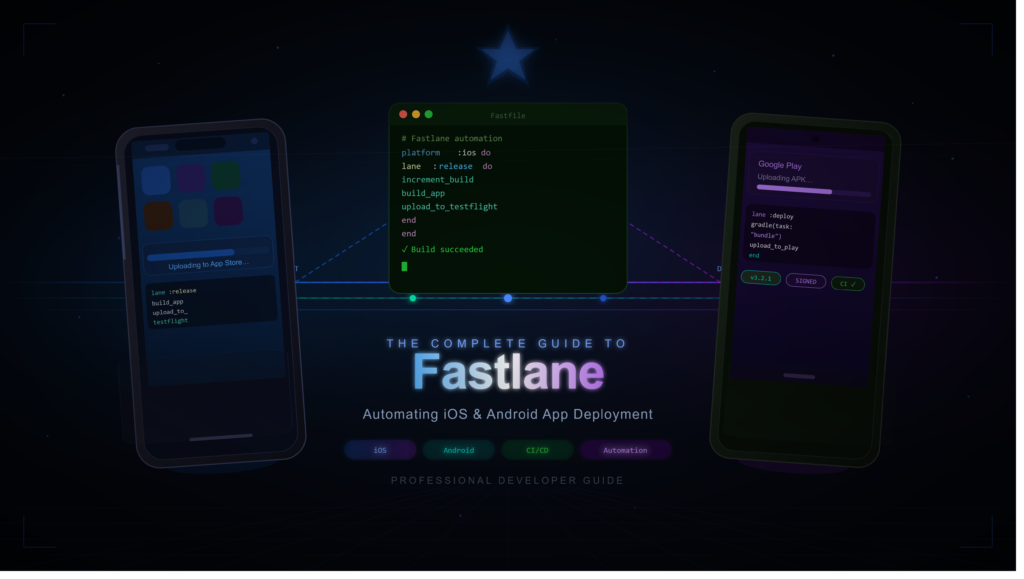
Fastlane uses configuration files written in Ruby-based syntax.
Developers define automated workflows known as lanes.
A lane represents a sequence of actions.
For example:
lane :release do
increment_build_number
build_app
upload_to_app_store
end
When executed, Fastlane automatically performs each task in order.
This approach transforms complicated deployment processes into predictable and repeatable operations.
Core Components of Fastlane
Understanding Fastlane becomes much easier when you know its key building blocks.
1. Lanes
Lanes are workflows.
Examples include:
- beta
- release
- testing
- screenshots
- deployment
Each lane executes a predefined sequence of tasks.
2. Actions
Actions are individual operations.
Examples:
- build_app
- upload_to_testflight
- upload_to_play_store
- run_tests
Fastlane includes hundreds of built-in actions.
3. Fastfile
The Fastfile serves as the central configuration file.
It defines:
- Lanes
- Actions
- Deployment logic
Think of it as the command center of your automation pipeline.
4. Plugins
Plugins extend Fastlane functionality.
Developers can integrate:
- Slack notifications
- Firebase App Distribution
- Jira workflows
- Custom APIs
This flexibility makes Fastlane suitable for projects of all sizes.
Key Features of Fastlane
Automated App Builds
Fastlane can automatically generate production-ready builds for:
- Android APKs
- Android App Bundles (AAB)
- iOS IPA files
This eliminates repetitive command-line operations.
App Store Deployment
Fastlane can publish applications directly to:
- Apple App Store
- TestFlight
- Google Play Console
A single command can trigger an entire release.
Automated Testing
Quality assurance becomes much easier with Fastlane.
Developers can automatically run:
- Unit tests
- UI tests
- Integration tests
before deployment occurs.
Screenshot Generation
App store screenshots often consume significant development time.
Fastlane can automatically generate screenshots across multiple:
- Devices
- Languages
- Screen sizes
This dramatically simplifies store optimization efforts.
Code Signing Management
One of the most frustrating aspects of iOS development is certificate management.
Fastlane offers tools that automate:
- Certificates
- Provisioning profiles
- Team sharing
reducing deployment complexity significantly.
Fastlane for iOS Development
iOS deployment traditionally involves multiple moving parts.
Common challenges include:
- Certificate expiration
- Provisioning profile conflicts
- App Store Connect uploads
- TestFlight distribution
Fastlane simplifies these processes.
Popular iOS actions include:
| Action | Purpose |
|---|---|
| build_app | Build IPA files |
| upload_to_testflight | Beta distribution |
| upload_to_app_store | Production release |
| match | Certificate management |
| scan | Run tests |
For many iOS teams, Fastlane becomes an indispensable release management tool.
Fastlane for Android Development
Android deployment benefits equally from automation.
Fastlane can handle:
- APK builds
- AAB builds
- Play Store uploads
- Internal testing releases
- Staged rollouts
Popular Android actions include:
| Action | Purpose |
|---|---|
| gradle | Execute Gradle tasks |
| upload_to_play_store | Publish releases |
| supply | Manage Play Store metadata |
| screengrab | Generate screenshots |
The result is a smoother Android release pipeline with fewer manual steps.
Fastlane and CI/CD Pipelines
Fastlane becomes especially powerful when integrated into Continuous Integration and Continuous Deployment (CI/CD) systems.
Common integrations include:
- GitHub Actions
- GitLab CI/CD
- Jenkins
- Bitrise
- CircleCI
A typical workflow might look like:
Code Commit
     ↓
Automated Testing
     ↓
Build Generation
     ↓
Fastlane Deployment
     ↓
Beta Distribution
     ↓
Production Release
This creates a fully automated release process.
Real-World Fastlane Workflow Example
Imagine a startup releasing weekly app updates.
Without Fastlane:
- Manual builds
- Manual testing
- Manual uploads
- Manual notifications
Time required: 2–4 hours per release.
With Fastlane:
fastlane releaseTime required: often less than 15 minutes of active involvement.
Over a year, the productivity savings become substantial.
Expert Analysis: Why Engineering Teams Adopt Fastlane
From a DevOps perspective, Fastlane solves a critical problem:
Human inconsistency.
Manual deployment introduces variability.
Different team members may:
- Skip steps
- Use different settings
- Upload incorrect builds
- Forget testing procedures
Automation removes these risks.
Professional engineering organizations value:
- Predictability
- Repeatability
- Traceability
Fastlane supports all three.
This explains why startups, agencies, and enterprise development teams continue adopting it as part of their release infrastructure.
Common Fastlane Mistakes Developers Make
1. Overcomplicating Lanes
Many developers create unnecessarily complex workflows.
Start simple.
Add automation gradually.
2. Ignoring Secrets Management
Never hardcode:
- API keys
- Passwords
- Certificates
Use secure environment variables instead.
3. Skipping Test Automation
Automation without testing simply accelerates mistakes.
Testing should always precede deployment.
4. Poor Documentation
Team members should understand:
- Lane purpose
- Deployment procedures
- Emergency rollback processes
Documentation remains essential.
5. Not Using CI/CD
Running Fastlane manually provides benefits.
Combining it with CI/CD unlocks its full potential.
Fastlane vs Manual Deployment
| Factor | Manual Deployment | Fastlane |
|---|---|---|
| Speed | Slow | Fast |
| Human Error | High | Low |
| Consistency | Variable | High |
| Scalability | Limited | Excellent |
| Team Collaboration | Difficult | Easy |
| Release Automation | Minimal | Extensive |
For teams releasing apps frequently, Fastlane offers clear operational advantages.
Best Practices for Fastlane Success
Create Separate Lanes
Use dedicated workflows for:
- Development
- Testing
- Staging
- Production
Automate Incrementally
Begin with:
- Build automation
Then add:
- Testing
- Distribution
- Notifications
Integrate Notifications
Send deployment updates through:
- Slack
- Microsoft Teams
Store Configurations Securely
Use:
- CI secrets
- Environment variables
- Secure credential vaults
Monitor Releases
Automation should improve visibility, not reduce it.
Track every deployment carefully.
Fastlane Setup Checklist
Beginner Deployment Checklist
Install Ruby
Install Fastlane
Initialize project
Configure Fastfile
Create test lane
Configure build lane
Configure beta lane
Configure release lane
Integrate CI/CD
Document workflow
Completing this checklist provides a strong foundation for professional deployment automation.
The Future of Fastlane
Mobile development continues shifting toward automation-first practices.
As release cycles become faster and user expectations increase, manual deployment processes become increasingly unsustainable.
Fastlane remains well-positioned because it addresses challenges that affect nearly every mobile team:
- Release reliability
- Development efficiency
- Team collaboration
- App store deployment complexity
The broader DevOps movement continues reinforcing the value of tools that reduce friction while improving consistency.
Final Thoughts
Fastlane has earned its reputation as one of the most valuable automation tools in the mobile development ecosystem. What began as a solution to simplify iOS deployment has evolved into a comprehensive platform for automating builds, testing, code signing, beta distribution, and app store releases.
For individual developers, Fastlane reduces repetitive work and deployment stress. For teams, it creates standardized workflows that improve reliability and collaboration. For organizations shipping apps frequently, it can save hundreds of hours annually while significantly reducing release-related errors.
The strongest Fastlane implementations are not necessarily the most complex. They are the ones that automate the right tasks, integrate seamlessly with CI/CD pipelines, and allow developers to focus on building great applications rather than managing release logistics.
Frequently Asked Questions (FAQ)
What is Fastlane used for?
Fastlane is an open-source automation tool that helps developers automate mobile app building, testing, code signing, beta distribution, and deployment to the Apple App Store and Google Play Store.
Is Fastlane free?
Yes. Fastlane is completely open-source and free to use for personal, startup, and enterprise projects.
Does Fastlane work with Android and iOS?
Yes. Fastlane supports both Android and iOS application development workflows.
Can Fastlane upload apps directly to app stores?
Yes. Fastlane can automatically upload builds to TestFlight, App Store Connect, and Google Play Console.
Is Fastlane suitable for beginners?
Yes. While there is a learning curve, beginners can start with simple build and deployment automation before progressing to advanced workflows.
Does Fastlane support CI/CD integration?
Yes. Fastlane integrates with GitHub Actions, GitLab CI/CD, Jenkins, Bitrise, CircleCI, and many other automation platforms.
What is a Fastlane lane?
A lane is a predefined workflow that automates a sequence of actions such as testing, building, and releasing an app.
Is Fastlane still relevant in 2026?
Absolutely. Fastlane remains one of the most widely used mobile DevOps and deployment automation tools, particularly for teams seeking reliable, repeatable release processes.
Can Fastlane generate App Store screenshots?
Yes. Fastlane can automatically generate screenshots across multiple devices, screen sizes, and languages.
What is the biggest benefit of Fastlane?
The biggest advantage is automation. Fastlane reduces manual deployment work, minimizes human error, improves consistency, and accelerates release cycles for both Android and iOS applications.