
 By
By
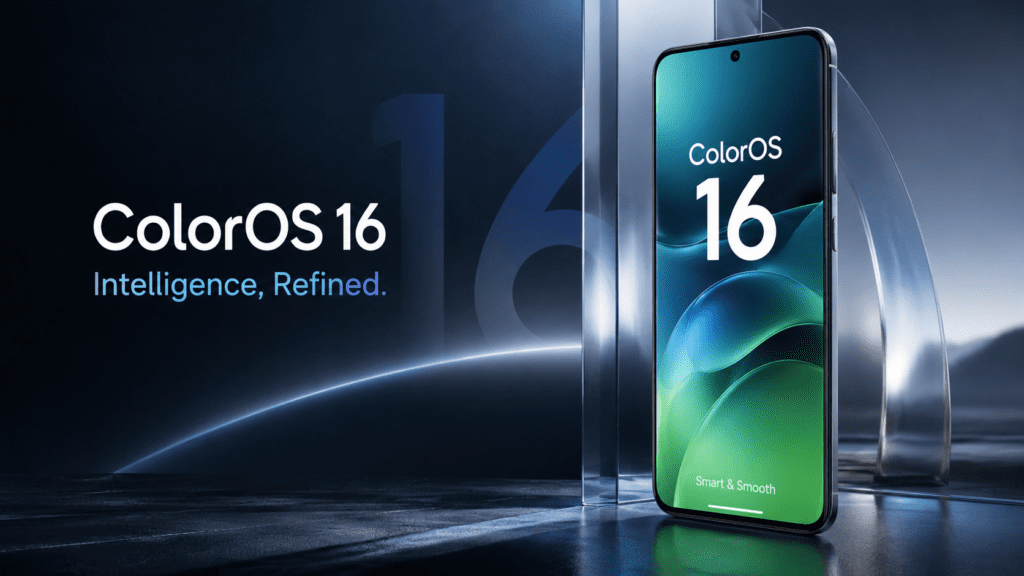
The arrival of ColorOS 16 marks one of the biggest software shifts for OPPO smartphones in recent years. Software updates no longer revolve around simple icon redesigns or minor battery optimizations. Smartphone ecosystems now compete on artificial intelligence, cross-device experiences, performance intelligence, privacy controls, and long-term software support.
For OPPO users, ColorOS 16 represents a substantial platform evolution.
Built on Android 16, ColorOS 16 introduces a refined interface, AI-powered productivity tools, smoother animations, deeper ecosystem integration, and under-the-hood performance enhancements designed to make devices feel faster and smarter without requiring new hardware. OPPO officially began global rollout plans during late 2025, expanding availability across flagship, foldable, Reno-series, and selected mid-range smartphones through phased deployment schedules extending into 2026.
But software updates often create confusion.
Users ask questions like:
- Which phones will receive ColorOS 16?
- What features are actually new?
- Is battery life better?
- Should users update immediately or wait?
- Why do some devices receive updates earlier than others?
- Can update availability vary by region?
This guide answers those questions comprehensively while breaking down what ColorOS 16 changes, where OPPO is heading strategically, and whether upgrading makes sense for everyday users.
Search Intent Analysis: Why People Search “ColorOS 16 Update”
Before evaluating the update itself, understanding user intent matters.
Primary Search Intent
Users want factual information about:
- ColorOS 16 release timeline
- Eligible devices
- New features
- Android 16 improvements
- Installation methods
- Upgrade availability
Secondary Search Intent
Users also want practical answers:
- Battery performance after updating
- Stability concerns
- Hidden features
- AI capabilities
- Whether waiting before updating is smarter
Emotional Intent
Software updates create uncertainty.
People worry about:
- Performance degradation
- Battery drain
- Bugs
- Lost features
- Compatibility problems
A useful guide addresses both specifications and real-world concerns.
What Is ColorOS 16?
ColorOS 16 is OPPO’s Android 16-based operating system update designed for OPPO smartphones and tablets.
It builds upon previous ColorOS generations by emphasizing:
- AI productivity
- Performance optimization
- Animation smoothness
- Cross-device connectivity
- Privacy improvements
- Visual refinement
- System stability enhancements
OPPO positions ColorOS 16 around a “Smart & Smooth” experience, focusing heavily on making devices feel more responsive rather than merely adding cosmetic changes.
The software debuted alongside newer flagship hardware while expanding gradually across supported devices through staged rollouts.
Major ColorOS 16 Features
1. Luminous Rendering Engine
Performance fluidity sits at the center of ColorOS 16.
OPPO introduced the Luminous Rendering Engine to improve:
- Animation consistency
- App transition responsiveness
- Scrolling smoothness
- Visual latency reduction
According to rollout materials, OPPO claims improvements in tap responsiveness and scrolling stability inside third-party applications.
Real-world impact may include:
| Improvement Area | User Experience Impact |
|---|---|
| App opening speed | Faster transitions |
| UI responsiveness | Less input delay |
| Multitasking | Smoother switching |
| Scrolling behavior | Reduced stutter |
For users upgrading from older ColorOS versions, these refinements become noticeable during daily interactions rather than benchmark testing.
2. Trinity Engine Optimization
Hardware alone doesn’t determine smartphone speed.
ColorOS 16 introduces Trinity Engine optimization to improve software-hardware coordination.
The system focuses on:
- Dynamic frame management
- Thermal efficiency
- Resource allocation
- Multitasking optimization
- Stability improvements
The objective isn’t necessarily higher benchmark numbers.
The objective is consistency.
Phones that remain responsive after months of use create stronger long-term satisfaction than devices delivering short-lived performance spikes.
3. AI Recorder
Artificial intelligence sits at the core of ColorOS 16.
AI Recorder introduces smarter voice management capabilities including:
- Automatic summaries
- Audio cleanup
- Intelligent title generation
- Meeting organization improvements
Students recording lectures, professionals capturing meeting discussions, and creators organizing voice notes may benefit most.
Practical example:
A university student records a 60-minute lecture.
Instead of manually reviewing the entire recording later, AI-assisted summarization can surface major discussion points faster.
Time savings becomes the feature—not AI itself.
4. AI Writer
Writing assistance expands significantly.
AI Writer helps users generate:
- Social captions
- Text drafts
- Messaging suggestions
- Productivity content assistance
The functionality aligns with broader smartphone trends where operating systems increasingly integrate generative AI directly into workflows.
5. AI Mind Space
One of ColorOS 16’s most interesting additions is AI Mind Space.
Think of it as an intelligent information organization layer.
It can help users collect:
- Images
- Voice notes
- Links
- Ideas
- Reminders
Instead of scattered digital clutter, information becomes more centralized and searchable.
For productivity-focused users, this feature may become one of the update’s strongest long-term advantages.
6. AI Photo Enhancements
Camera software increasingly matters more than raw sensor specifications.
ColorOS 16 expands imaging intelligence with features including:
- AI Portrait Glow
- Reflection removal
- Blur correction
- AI image cleanup
- Photo enhancement tools
Portrait photography receives particular attention through lighting optimization designed to improve challenging shooting environments.
7. Improved Video Editing
Content creation continues becoming central to smartphone usage.
ColorOS 16 introduces stronger editing capabilities including:
- Faster clip trimming
- Motion photo conversion
- Enhanced editing workflows
Short-form creators and social media users benefit most from streamlined editing experiences.
8. Cross-Device Connectivity
Modern smartphone ecosystems increasingly compete beyond phones.
ColorOS 16 expands integration capabilities through:
- File transfers
- PC connectivity improvements
- Screen projection support
- Cross-platform workflow enhancements
OPPO also strengthened interoperability initiatives for broader ecosystem experiences.
ColorOS 16 Eligible Devices
Rollout availability varies by region and deployment phase.
The following devices have been included across official schedules and rollout reporting:
OPPO Find Series
- Find N5
- Find N3
- Find N3 Flip
- Find N2 Flip
- Find X8
- Find X8 Pro
- Find X5 Pro
OPPO Reno Series
- Reno 14
- Reno 14 Pro
- Reno 14 F
- Reno 13
- Reno 13 Pro
- Reno 13 F
- Reno 12
- Reno 12 Pro
- Reno 11
- Reno 11 Pro
- Reno 10 Pro+
Additional Series
Selected:
- K Series devices
- F Series devices
- OPPO tablets
Availability varies by country, carrier certification, and phased deployment strategy.
Why Some Users Receive ColorOS 16 Earlier Than Others
One of the biggest misconceptions involves rollout timing.
Users often assume:
“My friend received ColorOS 16. Why don’t I have it yet?”
OTA (Over-The-Air) updates rarely deploy simultaneously.
Manufacturers intentionally release updates in phases to:
- Detect bugs early
- Reduce server load
- Prevent large-scale failures
- Validate regional compatibility
Region configuration can also influence update availability. Community reports suggest activation region factors sometimes affect rollout timing.
How to Check for ColorOS 16 Update
Follow these steps:
Step 1
Open:
Settings
Step 2
Tap:
System & Updates
Step 3
Select:
Software Update
Step 4
Check manually for updates.
If unavailable:
- Ensure sufficient storage
- Install pending incremental updates first
- Verify internet stability
- Wait for phased deployment expansion
OPPO rollout schedules frequently operate in stages rather than immediate universal availability.
Real User Feedback: What Early Users Are Saying
Software experiences vary.
Community discussions reveal both positive reactions and concerns.
Positive observations:
Users report:
- Better customization
- Improved UI refinement
- New productivity capabilities
- Expanded AI tools
Reported concerns:
Some users mention:
- Animation inconsistencies
- Battery performance adjustments
- Missing features depending on region
- Camera processing concerns on selected devices
Early software cycles occasionally require follow-up patches before reaching peak stability.
This doesn’t automatically make an update “bad.”
It reflects modern software deployment realities.
Common ColorOS 16 Misconceptions
Myth 1: “Everyone gets updates simultaneously”
False.
Rollouts occur gradually.
Myth 2: “No update notification means my phone isn’t eligible”
False.
Eligibility and rollout timing differ.
Myth 3: “Major updates always improve battery life”
Not necessarily.
Background indexing, optimization cycles, and adaptation periods can temporarily affect performance. User experiences vary.
Myth 4: “AI features appear immediately for everyone”
False.
Regional restrictions and staged feature deployment may influence availability.
Should You Update to ColorOS 16?
For most supported devices:
Yes.
Reasons include:
New security improvements
Android 16 enhancements
AI productivity additions
Better ecosystem integration
Long-term software support benefits
Interface optimization improvements
However, cautious users may prefer waiting several weeks after rollout begins to allow bug fixes and early optimization updates.
A practical approach:
- Power users → update early
- Stability-first users → wait for patch refinement
Expert Perspective: Why ColorOS 16 Matters Strategically
The smartphone industry increasingly competes through software intelligence rather than hardware specifications alone.
Processors improve yearly.
Displays improve yearly.
Camera sensors improve yearly.
Software ecosystems increasingly determine long-term value.
ColorOS 16 demonstrates OPPO’s strategic focus on:
- On-device intelligence
- Productivity acceleration
- Ecosystem expansion
- AI-first experiences
- Performance consistency
That shift mirrors broader Android industry direction.
Future smartphone competition may revolve less around megapixels and more around software usefulness.
ColorOS 16 positions OPPO directly inside that transition.
ColorOS 16 Optimization Checklist
Before updating:
Backup important files
Charge above 50% battery
Connect to Wi-Fi
Free storage space
Install existing patches first
Check regional rollout availability
Review update changelog
After updating:
Allow background optimization time
Restart device once
Update applications
Monitor battery adaptation cycles
Final Thoughts
ColorOS 16 isn’t merely another annual software refresh.
It reflects how smartphone software continues evolving beyond visual redesigns into intelligent assistance, productivity acceleration, and ecosystem cohesion.
The strongest improvements aren’t necessarily the flashy ones.
Smoother animations.
Faster responsiveness.
Better multitasking.
AI features that remove friction from everyday tasks.
Those improvements shape long-term satisfaction far more than marketing slides ever do.
For supported OPPO devices, ColorOS 16 represents a meaningful step forward—and one that increasingly aligns smartphones with how people actually work, create, communicate, and organize information.
FAQ: ColorOS 16 Update
Which Android version powers ColorOS 16?
ColorOS 16 is based on Android 16.
Which OPPO phones support ColorOS 16?
Supported devices include selected Find, Reno, K, F, and Pad series models depending on rollout region.
Why haven’t I received ColorOS 16 yet?
Rollouts happen gradually. Carrier approval, region, and phased deployment timing affect availability.
Does ColorOS 16 improve gaming performance?
Performance optimization improvements and engine enhancements aim to improve responsiveness and consistency.
Is ColorOS 16 stable?
Most updates improve stability over time. Early rollout phases occasionally reveal issues that later patches address.
Can battery life change after updating?
Battery behavior may temporarily fluctuate after major updates while optimization processes complete. User experiences vary.
Does ColorOS 16 add AI features?
Yes. AI Recorder, AI Writer, AI Mind Space, and imaging improvements are among the update highlights.