
 By
By
You already know how YouTube search works. You type a few keywords, scroll through thumbnails, pick a video that looks right, and spend the first ninety seconds trying to figure out if it actually answers what you need. Sometimes it does. Often it doesn’t. And so you go back, rephrase the search, try again.
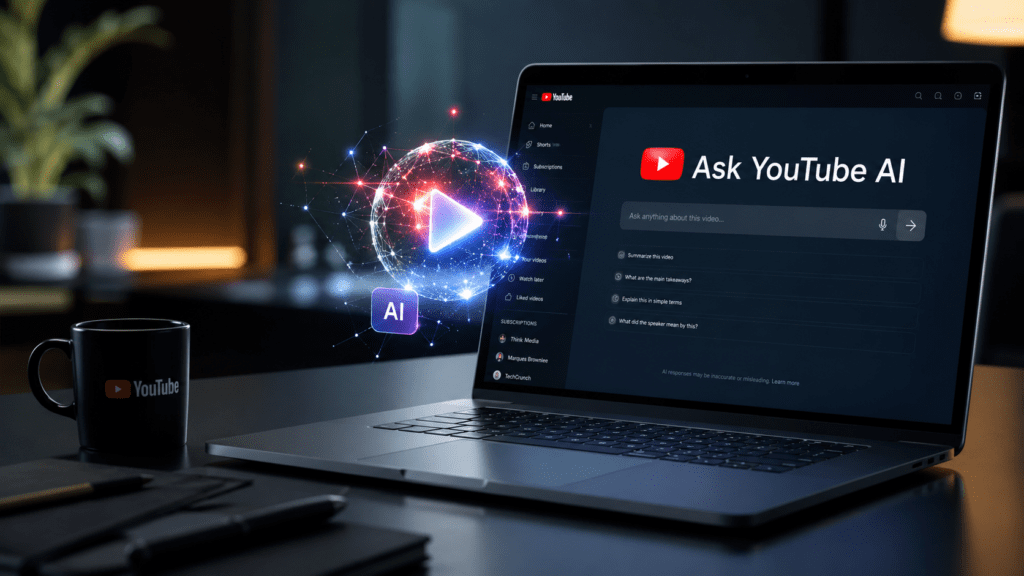
That loop — which billions of people repeat every day — is what Google is now trying to break with Ask YouTube, the platform’s new AI-powered conversational search experience. Announced at Google I/O 2026 and built on Google’s Gemini AI, it’s one of the most significant changes to how people find video content since YouTube launched its recommendations algorithm years ago.
But what is Ask YouTube, exactly? How does it actually work? Who can use it right now, and what does it mean for both viewers and creators? Those are the questions this piece answers — in full, with real examples and a clear-eyed look at where the feature still has room to grow.
What Ask YouTube Actually Is
Ask YouTube is a conversational AI search interface layered directly into YouTube’s existing search bar. Instead of typing fragmented keyword strings and hoping the algorithm surfaces the right video, you can ask a full, natural-language question — the kind you’d ask a knowledgeable friend — and get a structured, intelligent response.
The response isn’t just a list of video thumbnails. It’s a blended output: AI-generated text summarizing the answer, grouped video results organized by subtopic, and — this part is genuinely useful — deep links into those videos that drop you directly at the moment most relevant to your query. No scrubbing. No guessing. The video starts at the right place.
You can also ask follow-up questions. If the first set of results is close but not quite right, you can refine: “Show me options that don’t require special equipment,” or “What about versions designed for beginners?” The system maintains context across the conversation, making the whole experience feel less like a search engine and more like a well-read research assistant who happens to have watched everything on YouTube.
Google formally unveiled the feature at Google I/O 2026 as part of a broader push to infuse AI across its entire ecosystem — from Google Search to Gmail, Maps, and now YouTube. The name is intentional: Ask YouTube follows the same conversational design language as Ask Maps, Google’s AI-powered location search tool.
The Problem Ask YouTube Is Designed to Solve
Standard YouTube search was built for a simpler era. You had a keyword. YouTube matched it to a title, a tag, or a description. That system works fine for simple, direct queries — “homemade pasta recipe,” “how to change a car tire” — but it breaks down quickly when your need is more complex.
Think about what you’d actually want to search if you were planning a weekend camping trip. You don’t want “camping tips.” You want beginner-friendly gear recommendations for someone who’s never camped before, preferably at a moderate altitude, ideally with suggestions for what to pack, filtered by content from creators who seem trustworthy rather than sponsored-to-the-hilt. Keyword search can’t hold all of that. It forces you to decompose your need into multiple separate searches, each of which returns a generic list you have to manually cross-reference.
That’s the informational gap Ask YouTube targets. Complex, multi-part queries. Needs that require context. Situations where you know what outcome you want but can’t easily express it in three words.
The feature has the potential to collapse what would previously require four or five separate searches into a single, progressively refined conversation.
How Ask YouTube Works: The Technical Reality
Under the hood, Ask YouTube is powered by Gemini — Google’s family of large language models, specifically engineered here to understand video content at a deep, semantic level.
When you submit a query through Ask YouTube, the system isn’t simply matching your words to video metadata. It’s doing something more sophisticated: understanding the intent behind the question, identifying which videos in YouTube’s vast catalogue are most likely to contain the information you need, parsing those videos’ actual content (not just titles and descriptions), and then organizing the results into a coherent, structured response.
The timestamp navigation feature is particularly telling. For the system to drop you at the right moment inside a twenty-minute video, it has to understand what’s being said at each point in that video — which means Gemini has processed the transcript, the visual content, or both. That’s not trivial. It implies that YouTube’s search layer now has meaningful access to what happens inside videos, not just what creators wrote in the description box.
Google hasn’t published a detailed technical breakdown of exactly how this works, but the behavioral evidence is clear: Ask YouTube understands content, not just metadata.
What Ask YouTube Looks Like in Practice
A few real-world examples illustrate where the feature genuinely shines — and where it’s still finding its footing.
Scenario 1: Practical skill-building
Say you ask: “How do I quickly remove background noise from a video I’m editing in Premiere Pro?”
In a standard YouTube search, you’d get a list of videos titled some variation of “Remove Background Noise in Premiere Pro.” You’d pick one, watch some of it, realize it’s aimed at a different version of the software, go back, try another.
With Ask YouTube, you get the same core videos — but now they’re organized into categories like “Step-by-Step Noise Reduction Methods” and “Advanced Cleanup and Finishing Touches.” Each video has a brief description explaining what it covers and why it’s relevant. When you click in, the video starts playing from the specific moment that addresses your question. The experience is materially different: faster, less frustrating, more useful.
Scenario 2: Parenting and learning
Google demonstrated this one on stage at I/O 2026: “How to teach my 3-year-old to ride a pedal bike — they already know how to ride a balance bike.” That’s a nuanced question. It acknowledges prior knowledge, implies a specific developmental stage, and has a narrow practical goal. A keyword search for “teach toddler ride bike” would surface generic results. Ask YouTube surfaces videos specifically relevant to the balance-bike-to-pedal-bike transition, with the relevant segment already cued up.
Scenario 3: Recreational discovery
The feature also handles open-ended discovery queries. “Find creator reviews of cozy games to play before bedtime” is not a search query in any traditional sense — it’s a preference, a mood, a request for curation. Ask YouTube can handle it. The system identifies what “cozy games” means as a genre, finds credible reviewers, and surfaces videos with actual recommendations, not just unboxings and gameplay footage.
Scenario 4: Refinement through follow-up
One of the more quietly impressive capabilities is contextual follow-up. Ask YouTube maintains the thread of your conversation. If your first query returns results that are slightly off-target, you can push back: “Show me versions that don’t use AI tools,” for example, and the system will filter accordingly — preserving the relevant results from the first query while removing the ones that don’t fit the new constraint. That kind of conversational refinement simply isn’t possible in standard search.
Who Can Use Ask YouTube Right Now
As of mid-2026, Ask YouTube is available to YouTube Premium subscribers in the United States, for users aged 18 and older. You can access it through YouTube Labs at youtube.com/new. It’s primarily a desktop-first experience in its current form, though mobile availability is expanding.
Google has stated clearly that broader availability is coming. Non-Premium users in the US are expected to gain access later in 2026, and international rollout is planned, though no specific timeline has been announced for markets outside the US. The feature was initially part of a testing phase that ran through June 8, 2026, and has since entered a broader rollout phase ahead of a planned summer expansion.
For users in countries where it isn’t yet available, the wait is real. Ask YouTube’s international absence is one of the more significant limitations right now — particularly given that much of YouTube’s actual viewership is global.
The Difference Between Ask YouTube and the In-Video “Ask” Button
There’s an important distinction to make, because Google has actually shipped two different AI features under similar branding.
The first is Ask YouTube — the conversational search experience described throughout this article. It lives in the search bar and helps you discover new content across the platform.
The second is the in-video “Ask” button — a Gemini-powered feature that appears below the video player on select English-language videos. This button lets you ask questions about the video you’re currently watching: “Summarize the key points,” “Explain what they meant by X,” “Quiz me on this content.” It’s a comprehension and engagement tool, not a discovery tool.
Both are powered by Gemini. Both use natural language. But they solve different problems. The search-level Ask YouTube helps you find what to watch; the in-video Ask button helps you get more out of what you’re already watching. Understanding which one you’re using matters.
Ask YouTube vs. Traditional YouTube Search: A Clear Comparison
| Feature | Traditional Search | Ask YouTube |
|---|---|---|
| Query type | Keywords | Natural language, full questions |
| Follow-up questions | Not supported | Supported natively |
| Result format | Thumbnail list | Text summary + grouped video results |
| Video entry point | From the beginning | From the most relevant timestamp |
| Context retention | None | Maintained across the session |
| Best for | Simple, direct queries | Complex, multi-part, nuanced needs |
| Availability | All users, globally | US Premium subscribers (expanding) |
The two modes aren’t in competition — YouTube lets you toggle between them easily. You don’t have to use Ask YouTube for everything, and the traditional search bar isn’t going anywhere. What Google is doing is adding a new layer of capability for the queries that keyword search handles poorly.
What This Means for YouTube Creators
For people who make content on YouTube, Ask YouTube introduces a meaningful shift in how their videos might get surfaced — and it requires some rethinking of traditional optimization strategies.
Standard YouTube SEO has long emphasized keyword-rich titles, front-loaded descriptions, and metadata tags. Those signals will still matter, but Ask YouTube adds a new dimension: the semantic quality of the content itself. Because Gemini is parsing what’s actually said and shown inside videos, not just what creators write in the metadata, the clarity and structure of the content becomes more important.
Practical implications for creators:
Chapters and timestamps matter more. If your video has well-labeled chapters, Ask YouTube can more accurately identify which segment answers which question. A video with no structural markers is harder for the AI to navigate precisely.
Clear, explicit explanations help. Conversational videos where key information is buried under banter may not perform as well in AI-driven search as tightly structured tutorials where the answer to a question is clearly articulated.
Niche depth becomes more valuable. Ask YouTube rewards content that genuinely answers specific, complex questions. The more precisely a video addresses a nuanced need, the more relevant it becomes when someone asks that exact kind of question.
Creator discovery is a real upside. YouTube has stated that Ask YouTube will “show videos and relevant video segments with titles and channel details to help users discover new creators.” That’s a meaningful signal: the feature isn’t just surfacing established channels. If a newer creator has made the most useful video on a topic, Ask YouTube has the potential to surface it.
The Broader Context: Google’s AI Everywhere Strategy
Ask YouTube doesn’t exist in isolation. It’s one piece of a much larger strategic move Google unveiled at I/O 2026 — a comprehensive push to make AI the default interface across virtually every Google product.
The pattern is consistent: Google Search gained AI Mode for complex, multi-part queries. Google Maps gained Ask Maps for location-based conversational queries. Now YouTube has Ask YouTube for video discovery. Gmail Live brings conversational AI to email search. The through-line is the same: replace keyword boxes with natural language interfaces that understand intent, context, and follow-up.
For YouTube specifically, this matters because the platform already functions as one of the world’s most-used search engines. People go to YouTube to learn, not just to watch. Ask YouTube takes that learning function seriously — and builds an interface designed specifically for it.
At the same time, Google announced the integration of Gemini Omni into YouTube Shorts Remix and the YouTube Create app. This allows creators to edit and remix short-form content using text prompts and images, with Gemini handling the underlying video and audio adjustments automatically. The two announcements together — Ask YouTube for discovery, Gemini Omni for creation — point toward a platform that’s being rebuilt, at both ends, around AI.
Common Misconceptions Worth Clearing Up
“Ask YouTube replaces regular search.” It doesn’t. The traditional search bar is still there, works the same as before, and is probably still the right tool for simple, direct queries. Ask YouTube is an additional mode, not a replacement.
“It only works for Premium users forever.” The current Premium-only access is explicitly a temporary rollout phase. Google has confirmed it’s planning to expand access to non-Premium users.
“Ask YouTube is just AI Overviews, but for video.” The comparison is superficial. Google’s AI Overviews in Search are designed to summarize web content directly in the search results page. Ask YouTube is a conversational interface specifically designed for video discovery — it sends you to the videos, not away from them. The intent and the outcome are different.
“It’s the same as the in-video Ask button.” As explained above, these are distinct features serving different purposes. One is for finding videos; the other is for understanding a video you’re already watching.
“AI will just promote the most-watched channels.” Ask YouTube’s value comes precisely from its ability to surface the most relevant video for a specific query — which may well be a smaller creator who answered a particular question exceptionally well. That’s a genuine opportunity for niche content creators.
Limitations and Open Questions
Ask YouTube is impressive in concept and functional in its current form, but it’s not without rough edges.
International availability. The US-only rollout is a real limitation. YouTube’s global user base can’t access a feature that, for many, would be among the most useful changes to the platform in years.
The casual browsing question. Ask YouTube is clearly optimized for informational, purposeful queries. When one reviewer tested it with “cute cat videos,” the conversational AI format felt less natural — keyword search is simply a better tool when you’re browsing rather than researching. The two modes serve genuinely different modes of video consumption, and users will need to develop instincts about which to use when.
Transparency in AI-generated summaries. When Ask YouTube generates text summaries alongside video results, it’s worth asking how those summaries are generated and whether they accurately represent the content they cite. This is an evolving concern across all AI search products.
The advertising question. YouTube has noted in its documentation that it may eventually explore surfacing sponsored placements within Ask YouTube results. How that intersects with organic search relevance is something users and creators will want to watch.
Creator opt-out considerations. While creators can opt out of having their content used as a remix source in Shorts (a related feature), the question of how Ask YouTube interacts with creator preferences for how their content gets surfaced is still developing.
How to Get the Most Out of Ask YouTube
If you have access to the feature right now, a few approaches will serve you well:
Ask the question you actually have. Don’t compress your need into keywords out of habit. Ask YouTube is designed for full, natural-language questions. The more precisely you describe what you want — including context, constraints, and preferences — the better the results.
Use follow-up questions aggressively. The conversational refinement capability is genuinely powerful. If results are close but not quite right, push back. The system maintains context.
Click into the timestamped videos. The deep linking into specific video segments is one of the feature’s most underrated capabilities. Let it do the work of finding the right moment in a long video — that’s often where the most time gets saved.
Toggle back when appropriate. For quick, simple searches where you know exactly what you’re looking for, the traditional search mode is often faster. Ask YouTube’s advantages show most clearly with complex, multi-part, or context-dependent queries.
Experiment with discovery-style queries. Ask YouTube handles curatorial requests surprisingly well — “find me thoughtful reviews of X” or “what are creators saying about Y” are query types it handles better than keyword search can.
Frequently Asked Questions
What is Ask YouTube? Ask YouTube is a conversational AI search feature built into YouTube’s search bar, powered by Google’s Gemini AI. It allows users to ask full, natural-language questions rather than typing keywords, and returns structured results that combine AI-generated text with grouped video recommendations and timestamp-specific deep links into those videos.
How is Ask YouTube different from regular YouTube search? Regular YouTube search matches keywords to video metadata — titles, tags, descriptions. Ask YouTube understands the semantic intent behind a question, processes the actual content inside videos, organizes results by subtopic, and supports multi-turn follow-up questions within a single session. It also drops you at the most relevant timestamp within a video rather than starting from the beginning.
Who can use Ask YouTube right now? As of mid-2026, Ask YouTube is available to YouTube Premium subscribers aged 18 and older in the United States. Access through youtube.com/new. Google has confirmed plans to expand access to non-Premium users and international markets later in 2026.
Does Ask YouTube replace the traditional YouTube search bar? No. Both search modes are available simultaneously, and users can toggle between them. Ask YouTube is an additional capability, not a replacement for keyword search.
What AI powers Ask YouTube? Ask YouTube is powered by Google’s Gemini AI, the same model family underlying Google Search’s AI Mode, Ask Maps, and other recent Google AI integrations.
Can Ask YouTube find content from smaller or newer creators? Yes — Google has stated that Ask YouTube surfaces the most relevant videos for a given query, regardless of channel size. This represents a potential discovery opportunity for niche creators who have made particularly useful content on specific topics.
What’s the difference between Ask YouTube and the in-video “Ask” button? Ask YouTube (the search feature) helps you discover new content across the platform. The in-video Ask button lets you interact with a video you’re already watching — asking for summaries, explanations, or quizzes about that specific video’s content. They’re distinct features serving different purposes.
Will Ask YouTube eventually be free for all users? Google has confirmed plans to roll out Ask YouTube to all YouTube users, not just Premium subscribers, though no specific date has been announced as of June 2026.
Is Ask YouTube available outside the United States? Not yet. The feature launched in the US and no confirmed international rollout date has been announced. Ask Maps, a similar conversational AI feature for Google Maps, followed a similar pattern — launching in the US and India before broader expansion.
How should creators optimize their videos for Ask YouTube? Focus on clarity and structure: well-labeled chapters, explicit and clearly articulated answers to the questions your video addresses, and descriptive content that makes the subject of each segment obvious. The semantic quality of the content itself — not just the metadata — becomes a more important factor in how Ask YouTube surfaces results.
The Bigger Picture
Ask YouTube arrives at a moment when the relationship between search and video is genuinely shifting. For years, YouTube functioned as a search engine that happened to return video results. Now, with Ask YouTube, it’s becoming something closer to a research assistant that happens to have access to the world’s largest video library.
Whether that evolution is welcome depends on what you use YouTube for. If you’re there to discover videos you didn’t know you were looking for, the traditional algorithm and keyword search may serve you better. But if you’re there to find specific answers, learn specific skills, or research specific topics — and millions of people use YouTube exactly this way — Ask YouTube represents a meaningful upgrade in how efficiently you can get what you came for.
The feature is early. It will improve. The current limitations — geographic restrictions, Premium-only access, questions about how AI summaries are generated — are real but likely temporary. What’s not temporary is the direction: Google is betting that the future of video discovery is conversational, and Ask YouTube is the first major move in that bet.
For viewers, that means less time searching and more time watching the right thing. For creators, it means the quality and clarity of your content matters more than ever. And for YouTube as a platform, it means the search box — that modest text field that’s been there since the beginning — is about to do a lot more work than it ever has before.