
 By
By
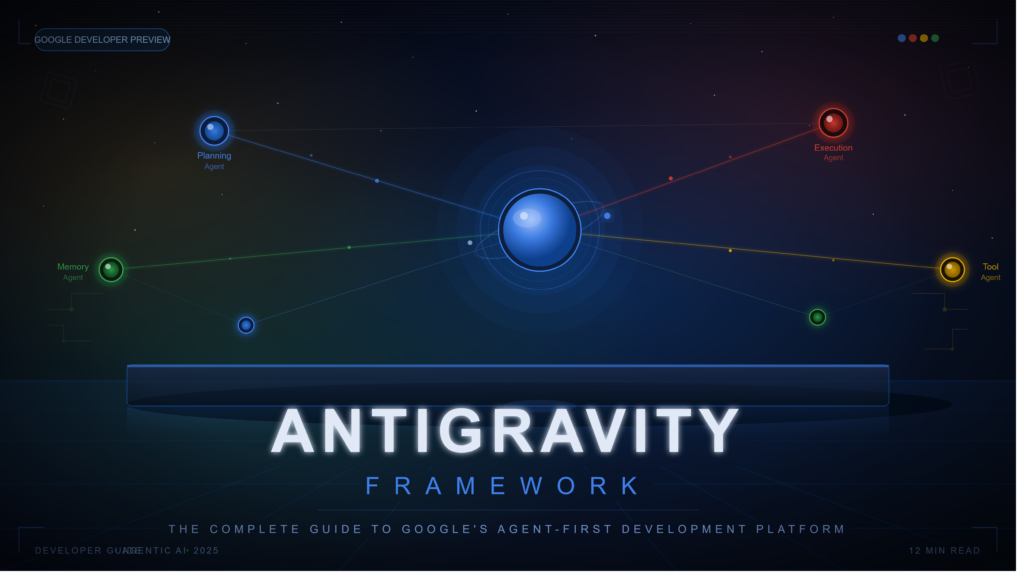
Understanding the Antigravity Framework and Why It Matters
Software development is entering a phase where developers no longer interact solely with code. Increasingly, they interact with autonomous agents capable of planning, researching, coding, testing, debugging, and even coordinating with other agents.
The Antigravity Framework emerged from this shift.
Developed as part of Google’s agent-first vision, Antigravity is designed to move beyond traditional AI coding assistants. Rather than simply suggesting code snippets or completing functions, it introduces a framework where AI agents can perform complex development workflows across editors, terminals, browsers, and external tools. Google describes Antigravity as an agentic development platform capable of orchestrating autonomous agents and managing software tasks across multiple workspaces.
This represents a substantial departure from the traditional IDE model.
For years, developers relied on tools that responded to commands. Antigravity introduces a model where agents can proactively execute tasks, create implementation plans, run tests, generate artifacts, and coordinate workflows with limited human intervention.
The growing interest around the Antigravity Framework stems from one central question:
What happens when software development becomes agent-driven instead of developer-driven?
The answer has implications for productivity, software quality, team collaboration, automation, and the future of programming itself.
Search Intent Analysis
Before exploring the framework in detail, it helps to understand what users typically want when searching for “Antigravity Framework.”
| Search Intent | User Goal |
|---|---|
| Informational | Understand what Antigravity is |
| Educational | Learn how the framework works |
| Technical | Explore architecture and capabilities |
| Comparative | Compare Antigravity with Cursor, Copilot, Claude Code, and other AI coding tools |
| Practical | Discover real-world use cases |
| Strategic | Understand whether it improves development workflows |
Common Questions Users Have
- What exactly is Antigravity?
- Is it an IDE or an AI platform?
- How do Antigravity agents work?
- What makes it different from GitHub Copilot?
- Can it replace traditional coding workflows?
- What are the advantages and risks?
- Is it suitable for teams and enterprises?
This guide addresses each of those questions comprehensively.
What Is the Antigravity Framework?
The Antigravity Framework is an agent-first software development ecosystem that enables autonomous AI agents to execute software engineering tasks across multiple environments. Google positions it as a platform for the agent-first era rather than simply another coding assistant.
At its core, Antigravity combines:
- Autonomous AI agents
- Browser automation
- Terminal execution
- Code generation
- Project orchestration
- Artifact management
- Multi-agent collaboration
Unlike traditional assistants that wait for instructions line by line, Antigravity allows agents to:
- Analyze objectives
- Break work into subtasks
- Launch supporting agents
- Execute workflows
- Verify results
- Present deliverables
This transforms AI from a coding helper into a project participant.
The Evolution of Developer Tools
To understand Antigravity, it helps to view it as the next step in a progression.
Traditional IDEs
Developers manually wrote code, ran tests, and deployed applications.
Examples:
- Visual Studio
- Eclipse
- IntelliJ IDEA
AI-Assisted Development
AI began helping with:
- Autocomplete
- Refactoring
- Documentation
- Debugging
Examples:
- GitHub Copilot
- Tabnine
- Amazon CodeWhisperer
Agentic Development
AI agents now execute workflows rather than isolated tasks.
Examples:
- Antigravity
- Advanced autonomous coding systems
- Multi-agent software engineering platforms
This shift is why Antigravity has attracted significant attention within the developer community.
Core Components of the Antigravity Framework
1. Agent-First Architecture
The foundation of Antigravity is autonomous agents.
Instead of issuing hundreds of micro-instructions, developers can define an objective such as:
Build a dashboard for monitoring customer analytics.
The agent can then:
- Plan implementation
- Create tasks
- Generate code
- Execute tests
- Validate outputs
According to Antigravity documentation, the platform is built around autonomous agents capable of handling complex development workflows independently.
2. Multi-Agent Orchestration
One of the framework’s most powerful capabilities is agent coordination.
Rather than relying on a single AI instance, Antigravity can spawn multiple agents working in parallel.
For example:
| Agent | Responsibility |
|---|---|
| Agent A | Frontend development |
| Agent B | Backend API |
| Agent C | Testing |
| Agent D | Documentation |
Parallel execution significantly reduces bottlenecks while improving specialization.
3. Artifacts System
A unique feature of Antigravity is its artifact model.
Artifacts serve as verifiable outputs generated during execution.
Examples include:
- Screenshots
- Implementation plans
- Test reports
- Browser recordings
- Task lists
- Code diffs
Rather than forcing users to inspect raw logs, artifacts provide clear evidence of agent activity.
This improves transparency and trust.
4. Browser-Based Execution
Modern applications often require browser interaction.
Antigravity allows agents to:
- Navigate websites
- Complete forms
- Test interfaces
- Verify UI functionality
This capability extends AI beyond code generation into actual application validation.
5. Workspace Management
Antigravity 2.0 introduced project-centric workflows.
Developers can:
- Organize projects
- Manage permissions
- Coordinate agents
- Schedule tasks
This transforms Antigravity into an operational control center rather than a simple IDE.
How the Antigravity Framework Works
A typical Antigravity workflow follows five stages.
Stage 1: Goal Definition
The user defines an objective.
Example:
Create an inventory management application.
Stage 2: Planning
Agents generate:
- Requirements
- Architecture
- Tasks
- Dependencies
Stage 3: Execution
Agents:
- Write code
- Create files
- Run commands
- Query APIs
- Launch tests
Stage 4: Verification
The framework validates outputs through:
- Test execution
- Browser checks
- Static analysis
- Artifact generation
Stage 5: Delivery
Final outputs are packaged as:
- Code
- Documentation
- Reports
- Verification artifacts
This creates a repeatable development lifecycle that minimizes manual intervention.
Major Benefits of the Antigravity Framework
Increased Productivity
Developers spend less time on repetitive work.
Agents handle:
- Boilerplate creation
- Testing
- Research
- Refactoring
This allows developers to focus on higher-level decision-making.
Faster Development Cycles
Parallel agents reduce completion times dramatically.
Tasks that previously required days may be completed within hours when distributed across specialized agents.
Improved Documentation
Artifacts automatically capture:
- Decisions
- Changes
- Results
Documentation becomes a natural byproduct of development.
Better Verification
Instead of trusting generated code blindly, Antigravity emphasizes verification through testing and evidence generation.
Scalability
The framework is designed for:
- Individual developers
- Startups
- Enterprise teams
Its multi-agent architecture scales naturally with project complexity.
Real-World Use Cases
Full-Stack Application Development
Agents can:
- Build frontend interfaces
- Create APIs
- Configure databases
- Generate documentation
Enterprise Software Engineering
Large organizations can use Antigravity for:
- Internal tools
- Automation
- Legacy modernization
- Continuous integration
QA Automation
Agents can:
- Execute tests
- Generate reports
- Capture screenshots
- Validate workflows
Research and Prototyping
Developers can rapidly test ideas by delegating repetitive implementation tasks.
Antigravity Framework vs Traditional AI Coding Assistants
| Feature | Antigravity | Traditional AI Assistants |
|---|---|---|
| Autonomous Execution | Yes | Limited |
| Multi-Agent Support | Yes | Rare |
| Browser Control | Yes | Limited |
| Artifact Generation | Yes | Minimal |
| Project Orchestration | Yes | No |
| Task Planning | Advanced | Basic |
| Workflow Automation | Extensive | Partial |
The difference is not merely one of capability but philosophy.
Traditional assistants help developers code.
Antigravity helps developers manage autonomous development workflows.
Common Misconceptions About Antigravity
It Replaces Developers
Reality:
The framework automates execution, not judgment.
Human oversight remains critical.
It Is Just Another IDE
Reality:
Antigravity has evolved into a broader platform that includes multiple products and orchestration capabilities beyond traditional editing environments.
Fully Autonomous Means Fully Reliable
Reality:
Agent autonomy introduces risks.
Verification remains essential.
Challenges and Risks
Every powerful framework introduces tradeoffs.
Security Concerns
Security researchers have highlighted risks related to autonomous execution and prompt injection vulnerabilities. Improper permissions may expose sensitive data or allow unintended actions.
Oversight Complexity
As agents become more autonomous, monitoring their behavior becomes increasingly important.
Organizations must implement governance controls.
Resource Consumption
Some users have reported substantial CPU and memory usage when running multiple agent workflows simultaneously.
Automation Errors
Like all autonomous systems, mistakes can occur. Reports have surfaced describing unintended file operations and destructive actions caused by overly permissive execution modes.
Best Practices for Using the Antigravity Framework
Start With Limited Permissions
Allow agents only the access required for a specific task.
Review Artifacts Carefully
Artifacts exist for a reason.
Treat them as verification checkpoints.
Use Human-in-the-Loop Approval
Critical actions should require approval before execution.
Break Projects Into Smaller Objectives
Smaller goals improve:
- Accuracy
- Traceability
- Reliability
Monitor Agent Behavior
Regular audits reduce operational risk.
Future of the Antigravity Framework
The broader technology trend suggests a movement toward agent ecosystems rather than standalone AI assistants.
Future developments may include:
- More specialized agents
- Stronger security controls
- Better enterprise governance
- Autonomous software maintenance
- End-to-end product development workflows
Google’s continued investment in Antigravity 2.0, its SDK, CLI, and IDE ecosystem indicates a long-term commitment to agentic software development.
The framework represents an early glimpse into how software engineering may evolve over the next decade.
Expert Analysis: Why Antigravity Matters Beyond Coding
The most significant innovation is not code generation.
It is delegation.
For decades, software tools have been designed around human execution.
Antigravity introduces a model where humans increasingly focus on:
- Objectives
- Constraints
- Verification
- Strategy
Meanwhile, agents handle implementation.
This mirrors how organizations scale through teams.
The Antigravity Framework effectively creates digital teams composed of AI agents.
That shift could reshape how software is built, tested, maintained, and deployed.
Antigravity Framework Implementation Checklist
Before Deployment
Define clear project goals
Establish permission boundaries
Configure verification workflows
Enable artifact tracking
Set approval checkpoints
Create security policies
Monitor agent activity
Review outputs before production release
Frequently Asked Questions (FAQs)
What is the Antigravity Framework?
The Antigravity Framework is Google’s agent-first development platform that enables autonomous AI agents to plan, execute, test, and manage software development tasks across multiple environments.
Is Antigravity an IDE?
Not exclusively. While it includes IDE capabilities, Antigravity has evolved into a broader agentic development platform with orchestration, project management, and autonomous execution features.
How does Antigravity differ from GitHub Copilot?
GitHub Copilot primarily assists with code generation, while Antigravity focuses on autonomous workflow execution, multi-agent coordination, planning, testing, and verification.
What are artifacts in Antigravity?
Artifacts are verifiable outputs such as screenshots, implementation plans, task lists, test reports, and browser recordings generated during agent execution.
Can Antigravity run multiple agents simultaneously?
Yes. Multi-agent orchestration is one of the framework’s defining features and allows parallel task execution.
Is Antigravity suitable for enterprise teams?
Yes. Its project organization, permissions management, verification systems, and multi-agent workflows make it particularly attractive for enterprise environments.
Are there security risks?
Yes. Like any autonomous system, risks include prompt injection, unauthorized actions, and excessive permissions. Proper governance and oversight are essential.
What skills are needed to use Antigravity effectively?
Developers benefit from understanding software architecture, project management, prompt engineering, verification practices, and security principles.
Final Thoughts
The Antigravity Framework represents more than a new development tool. It reflects a fundamental shift toward agent-driven software engineering.
Its architecture combines autonomous agents, multi-agent collaboration, browser automation, artifact-based verification, and project orchestration into a unified ecosystem. While challenges around security, oversight, and trust remain, the framework offers a compelling vision of how development teams may operate in the coming years.
For developers, technical leaders, and organizations exploring the future of AI-assisted engineering, Antigravity is not simply another productivity tool. It is an early blueprint for a world where software is increasingly built through collaboration between humans and autonomous agents.