
 By
By
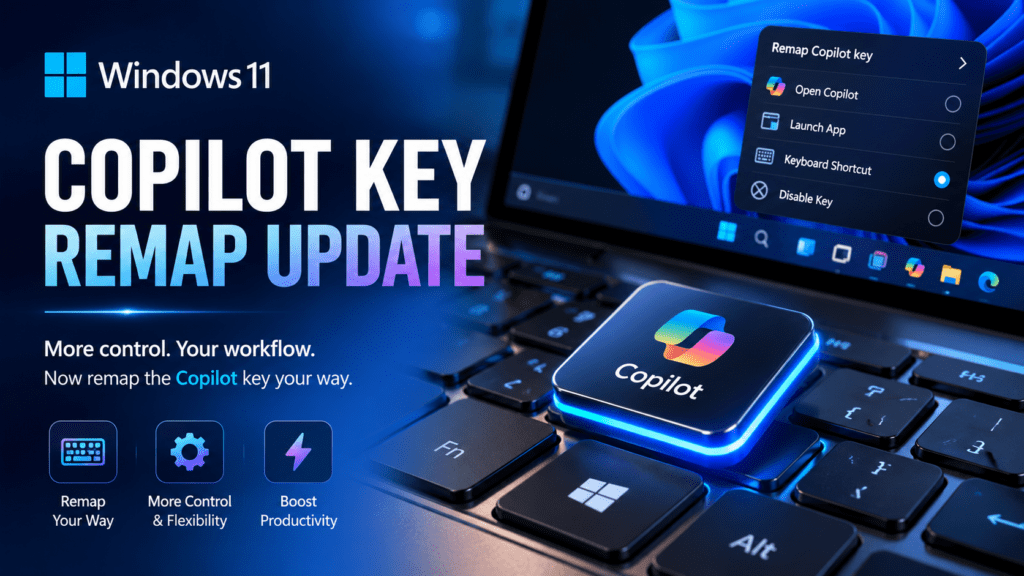
The dedicated Copilot key was supposed to signal a new era for Windows PCs. Microsoft positioned it as a defining hardware change — the first major keyboard addition since the Windows key nearly three decades ago. But only months after manufacturers began shipping laptops with the new button, Microsoft quietly adjusted its direction.
Now, the company is allowing the Copilot key to be remapped.
At first glance, that sounds minor. A keyboard shortcut change rarely feels headline-worthy. Yet this update reveals something far bigger happening inside the Windows ecosystem: Microsoft is trying to balance aggressive AI integration with practical user behavior, enterprise resistance, productivity concerns, and growing skepticism around forced AI experiences.
For power users, IT departments, gamers, developers, and even casual laptop owners, the Copilot key remap update changes how Windows 11 fits into daily workflows. It also hints at Microsoft’s broader strategy for AI-first computing — and where friction is starting to emerge.
This isn’t simply a “new setting” buried inside Windows 11.
It’s a course correction.
Why Users Searched for the Copilot Key Remap Update
The search interest surrounding the Windows 11 Copilot key remap update exploded for a simple reason: people wanted control back.
Many users immediately asked questions like:
- Can I disable the Copilot key?
- Can I make the Copilot button open another app?
- Why does my keyboard suddenly launch AI?
- Is Microsoft forcing Copilot into Windows?
- Can enterprises restrict the Copilot key?
- Will gamers accidentally trigger Copilot?
- Can developers remap it to productivity tools?
Behind those questions sits a broader concern about modern software design. Users increasingly dislike hardware buttons tied permanently to cloud services, subscriptions, or AI systems they may not use.
The Copilot key became symbolic of that tension.
Some users embraced it as a shortcut to AI assistance. Others saw it as unnecessary keyboard clutter replacing the Menu key that had existed for decades. Advanced users wanted customization. Businesses wanted predictability. Accessibility advocates wanted flexible workflows.
Microsoft’s update addresses many of those concerns — though not all of them equally.
What Is the Windows 11 Copilot Key?
The Biggest Keyboard Change Since the Windows Key
The Copilot key is a dedicated physical keyboard button introduced on newer Windows 11 PCs. Pressing it launches Microsoft Copilot, the company’s AI assistant integrated into Windows.
Microsoft promoted Copilot PCs as the next generation of AI-powered computing devices. Hardware partners including Lenovo, Dell, HP, ASUS, Acer, Samsung, and others began shipping laptops featuring the new key.
Visually, the button uses the Copilot logo and is typically placed near the right Alt key.
For years, that location often housed:
- the Menu key,
- an application shortcut key,
- or secondary function controls.
Replacing it with a dedicated AI button immediately generated debate.
Some users appreciated one-click AI access. Others questioned whether a permanent AI shortcut belonged on a physical keyboard at all.
Why Microsoft Introduced the Copilot Key
To understand the remap update, you first need to understand Microsoft’s larger AI ambitions.
The company is aggressively repositioning Windows around AI integration. Copilot is central to that strategy.
Microsoft wants Windows to become:
- AI-assisted,
- context-aware,
- workflow-integrated,
- and conversational.
The Copilot key was designed to normalize AI interaction at the hardware level.
That matters strategically because keyboard real estate is valuable. Adding a dedicated key signals priority. It tells manufacturers, developers, enterprises, and consumers that Microsoft views AI as a permanent layer of the Windows experience.
In practical terms, Microsoft wanted:
- faster Copilot adoption,
- habitual AI usage,
- tighter integration with Microsoft services,
- and stronger differentiation against Apple and Google.
But there was a problem.
Users don’t always behave the way platform companies expect.
The Backlash Against the Dedicated Copilot Key
Why Many Users Were Frustrated
The criticism wasn’t entirely about AI itself.
The bigger issue was forced functionality.
Many people objected to:
- losing the traditional Menu key,
- accidental Copilot launches,
- lack of customization,
- cloud dependency concerns,
- privacy worries,
- enterprise compliance risks,
- and workflow interruptions.
Gamers and creative professionals especially disliked the idea of accidental triggers during fullscreen applications or editing sessions.
Power users argued that a physical key should always be customizable.
Developers questioned why Microsoft initially treated the button more like a service launcher than a programmable input.
Some enterprise IT teams were also uneasy. Organizations that disable Copilot for security or policy reasons still had hardware shipping with Copilot branding and behavior attached.
That created an awkward mismatch between:
- hardware identity,
- operating system controls,
- and enterprise governance.
What the Windows 11 Copilot Key Remap Update Actually Does
Microsoft’s update allows eligible users to remap the Copilot key to another application or function rather than forcing it to open Copilot.
This significantly changes how the button behaves inside Windows 11.
Instead of being permanently locked to Microsoft’s AI assistant, the key can now function more like a customizable shortcut.
Depending on system configuration and Windows version, users may be able to:
- assign another application,
- redirect it to Search,
- launch productivity tools,
- or disable practical dependence on Copilot altogether.
For advanced users, that flexibility matters far more than the key itself.
The update transforms the Copilot button from:
“Microsoft’s AI button”
into:
“another programmable input.”
That distinction changes public perception considerably.
Why This Update Matters More Than It Seems
Microsoft Is Quietly Acknowledging User Resistance
Large platform companies rarely reverse direction publicly unless user friction becomes impossible to ignore.
The remap feature signals several important realities:
1. Microsoft Understands Forced AI Has Limits
Users may adopt AI organically, but they resist feeling cornered into it.
The dedicated Copilot key initially felt mandatory rather than optional.
Customization reduces that tension.
2. Enterprises Still Control Windows Adoption
Consumer marketing often dominates headlines, but enterprise customers remain crucial to Windows.
Businesses prioritize:
- workflow consistency,
- compliance,
- security,
- and user management.
Mandatory AI shortcuts complicate all four.
Allowing remapping gives IT departments more flexibility.
3. Productivity Users Demand Keyboard Control
Developers, editors, engineers, designers, traders, and gamers heavily customize workflows.
A locked hardware key contradicts decades of PC personalization culture.
Microsoft likely recognized that quickly.
4. Hardware Branding Alone Won’t Drive AI Usage
A physical AI button does not guarantee long-term engagement.
People use tools that genuinely improve workflows.
The remap update subtly acknowledges that reality.
How the Copilot Key Remap Works in Practice
Current Windows 11 Behavior
The remapping experience depends on:
- Windows build version,
- device manufacturer implementation,
- keyboard firmware behavior,
- and enterprise policies.
In many cases, users can configure the key through:
- Windows Settings,
- keyboard customization settings,
- OEM software,
- or accessibility/input controls.
Some implementations may restrict certain actions depending on device type.
Microsoft has gradually expanded keyboard customization capabilities inside Windows 11, especially as AI features became more controversial among advanced users.
Who Benefits Most From the Update
Developers and Power Users
This group probably benefits the most.
The Copilot key can potentially become:
- terminal launcher,
- IDE shortcut,
- scripting trigger,
- search tool,
- macro input,
- or productivity shortcut.
For keyboard-centric workflows, reclaiming that physical key is valuable.
Enterprise IT Teams
Many organizations either:
- disable Copilot entirely,
- restrict AI access,
- or maintain strict cloud governance rules.
The remap update allows enterprises to:
- reduce user confusion,
- maintain workflow standards,
- and align hardware behavior with internal policies.
Gamers
Gaming laptops increasingly ship with Copilot keys.
Players worried about accidental overlays or interruptions now have more control.
A remapped key can instead become:
- push-to-talk,
- recording shortcut,
- Discord launcher,
- or performance utility trigger.
Accessibility Users
Customizable input improves accessibility significantly.
Users with:
- motor limitations,
- repetitive strain issues,
- or adaptive workflow needs
often rely heavily on remappable hardware shortcuts.
This update makes the Copilot key more inclusive than its original implementation.
The Bigger AI Strategy Behind Microsoft’s Decision
Microsoft Isn’t Backing Away From AI
The remap update should not be mistaken for retreat.
Microsoft is still deeply committed to AI-driven Windows experiences.
The company continues investing in:
- Copilot integration,
- Recall features,
- AI-powered search,
- on-device neural processing,
- contextual assistants,
- and generative productivity tools.
However, Microsoft appears to be adjusting how aggressively those features are imposed.
That distinction matters.
The company likely realized:
- forced AI creates backlash,
- optional AI increases acceptance,
- and customization reduces resistance.
This mirrors earlier technology adoption patterns.
History repeatedly shows that users embrace powerful features more readily when they feel in control.
Why the Copilot Key Became Symbolically Important
The debate around the Copilot key wasn’t purely technical.
It became symbolic of broader concerns about modern computing.
For many users, the button represented:
- platform control,
- AI overreach,
- subscription ecosystems,
- telemetry anxiety,
- and declining user autonomy.
That’s why reactions became unusually emotional for something as small as a keyboard key.
The remap update partially diffuses that symbolism.
It signals that Microsoft is at least listening to workflow concerns — even while continuing its AI-first strategy.
Common Misconceptions About the Copilot Key Update
Misconception 1: Microsoft Removed Copilot
No. Copilot remains deeply integrated into Windows 11.
The update simply adds more flexibility around the hardware shortcut.
Misconception 2: Every PC Supports Full Remapping
Support varies depending on:
- device firmware,
- OEM implementation,
- Windows version,
- and enterprise restrictions.
Some laptops may offer broader customization than others.
Misconception 3: The Key Is Completely Useless Without Copilot
Not necessarily.
Once remappable, the button becomes valuable as a customizable shortcut key.
For productivity-focused users, that may actually make the keyboard more useful than before.
Misconception 4: Microsoft Is Abandoning AI PCs
Quite the opposite.
The company continues positioning AI PCs as the future of Windows computing.
The remap update is more about reducing friction than changing direction.
How This Impacts Future Windows Laptop Design
Expect More Hybrid AI Hardware Approaches
The initial Copilot rollout revealed something important:
users want AI assistance, but they also want flexibility.
Future Windows hardware will likely evolve toward:
- customizable AI controls,
- context-aware shortcuts,
- adaptive keyboard layers,
- and user-configurable assistants.
Manufacturers are learning that rigid hardware behavior creates pushback.
The next generation of AI laptops may prioritize:
- personalization,
- local AI processing,
- workflow adaptation,
- and optional AI triggers.
That would align far better with traditional PC culture.
The Enterprise Angle Microsoft Can’t Ignore
Consumer headlines often focus on flashy AI demos, but enterprise adoption determines long-term Windows strategy.
Many companies remain cautious about generative AI because of:
- compliance risks,
- data leakage concerns,
- regulatory uncertainty,
- and internal governance policies.
A dedicated Copilot button created awkward questions:
- What if AI is disabled company-wide?
- What happens in air-gapped environments?
- Can organizations fully control hardware behavior?
- Will employees accidentally trigger restricted systems?
The remap update helps Microsoft avoid unnecessary enterprise friction.
That’s strategically important.
Windows succeeds when businesses feel in control.
Practical Ways Users Are Remapping the Copilot Key
Early adopters and productivity enthusiasts are already using the key creatively.
Popular Remap Ideas
| User Type | Common Remap |
|---|---|
| Developers | Terminal or VS Code |
| Gamers | Push-to-talk or Discord |
| Designers | Adobe apps |
| Office Users | Search or Task Manager |
| Streamers | OBS controls |
| IT Admins | Remote management tools |
| Writers | Note-taking apps |
| Power Users | PowerToys shortcuts |
This flexibility dramatically increases the key’s practical value.
Ironically, Microsoft may end up making the Copilot hardware more successful by loosening control over it.
How to Remap the Copilot Key in Windows 11
The exact process varies by device and Windows build, but generally follows these steps:
Basic Remap Workflow
- Open Settings
- Navigate to keyboard or personalization controls
- Locate Copilot key behavior settings
- Choose an alternate application or action
- Save changes
- Test the shortcut
Some systems may require:
- OEM software,
- Microsoft PowerToys,
- or firmware-level configuration tools.
Advanced users may also use third-party keyboard remapping utilities depending on hardware compatibility.
Should You Disable the Copilot Key?
That depends entirely on workflow preference.
You May Want Copilot Enabled If:
- you regularly use AI tools,
- you rely on Microsoft 365 integration,
- you enjoy conversational search,
- or you use AI-assisted productivity features.
You May Prefer Remapping If:
- you never use Copilot,
- you prioritize keyboard efficiency,
- you want workflow customization,
- or you dislike accidental AI launches.
There’s no universally correct setup.
The real value of the update is that users finally get a choice.
Expert Analysis: Why Optional AI Usually Wins
Technology adoption patterns tend to follow a predictable cycle.
People resist:
- forced workflows,
- intrusive defaults,
- and rigid ecosystems.
But they often embrace the same technologies once:
- customization exists,
- friction decreases,
- and practical value becomes clear.
That’s likely what Microsoft is navigating now.
The company wants AI deeply embedded into Windows, but it also needs:
- enthusiast goodwill,
- enterprise trust,
- and ecosystem flexibility.
The Copilot key remap update reflects a more mature strategy:
make AI available everywhere, but stop forcing every interaction.
That approach historically works better in the PC market.
What This Means for the Future of Windows 11
The update hints at a broader philosophical shift inside Microsoft.
Rather than treating AI as a mandatory overlay, Windows may increasingly evolve into:
- an AI-capable platform,
- with customizable user control,
- instead of a rigid AI-first environment.
That distinction could significantly affect public perception.
Users generally accept innovation more readily when they feel:
- respected,
- informed,
- and in control.
The Copilot key controversy demonstrated how quickly backlash can emerge when those conditions disappear.
Key Takeaways From the Copilot Key Remap Update
The Update Is About More Than a Keyboard Shortcut
Microsoft’s decision reflects:
- user resistance to forced AI integration,
- enterprise pressure,
- workflow concerns,
- and the importance of customization in PC culture.
The Copilot Key Is Becoming More Useful
Ironically, remapping may increase adoption of the physical key itself.
A customizable shortcut has far broader appeal than a locked AI launcher.
Microsoft Is Adjusting Its AI Rollout Strategy
The company still views AI as central to Windows, but it appears increasingly aware that aggressive implementation can damage user trust.
User Control Remains Essential
The PC ecosystem has always thrived on flexibility.
The remap update acknowledges that reality.
Frequently Asked Questions
What is the Windows 11 Copilot key?
The Copilot key is a dedicated keyboard button on newer Windows 11 PCs that launches Microsoft Copilot, the company’s AI assistant integrated into Windows.
Can you remap the Copilot key in Windows 11?
Yes. Microsoft introduced support allowing users to remap the Copilot key to different applications or functions depending on device compatibility and Windows version.
Can I disable the Copilot key completely?
In many cases, users can effectively neutralize the key by remapping it or changing its assigned behavior. Exact options vary by hardware manufacturer and software implementation.
Why did Microsoft add a Copilot key?
Microsoft introduced the key to promote AI integration across Windows devices and position Copilot as a core part of the Windows experience.
Does every Windows 11 laptop have a Copilot key?
No. Only newer AI-focused or recently released Windows laptops include the dedicated Copilot key.
Is the Copilot key replacing the Menu key?
On many keyboards, yes. The Copilot key often occupies the position previously used by the traditional Menu key.
Do gamers need the Copilot key?
Not necessarily. Many gamers prefer remapping the key to performance tools, communication apps, or custom shortcuts.
Is Microsoft forcing AI into Windows 11?
Microsoft is heavily integrating AI into Windows 11, but updates like the Copilot key remap feature suggest the company is also responding to demands for user control and customization.
Will enterprises disable the Copilot key?
Some organizations may restrict or remap Copilot functionality due to compliance, governance, or security policies.
Does remapping the key remove Copilot from Windows?
No. Copilot remains available through Windows and Microsoft services even if the physical key is reassigned.
Final Thoughts
The Windows 11 Copilot key remap update may look like a small settings tweak, but it represents something far more significant beneath the surface.
It shows Microsoft adapting in real time to user behavior.
The original vision behind the Copilot key was ambitious: normalize AI interaction directly at the hardware level. But PC users have always valued flexibility, personalization, and control. The backlash surrounding the dedicated AI button exposed the limits of pushing ecosystem priorities too aggressively.
By allowing remapping, Microsoft preserved its AI strategy while reducing one of the biggest sources of friction.
That balance matters.
The future of Windows likely won’t be defined by whether AI exists inside the operating system. That outcome already seems inevitable. The real question is whether users feel empowered within that AI-driven environment — or constrained by it.
This update suggests Microsoft understands the difference more clearly now than it did at launch.