
 By
By
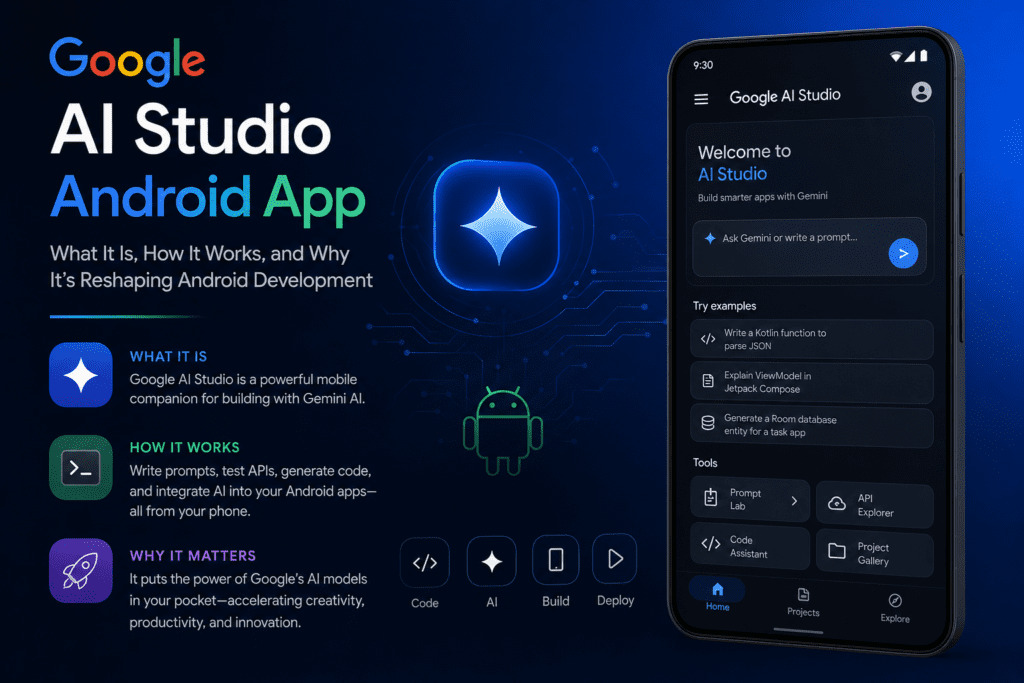
For years, creating an Android applications meant installing heavy development environments, learning programming languages like Kotlin, understanding architecture patterns, configuring SDKs, debugging device issues, and spending weeks—or months—moving from idea to launch.
That model is evolving.
Google AI Studio has moved beyond being an AI experimentation platform. It now enables users to build native Android applications directly from prompts, dramatically lowering technical barriers for creators, developers, startups, educators, and businesses.
Searches around “Google AI Studio Android App” usually come from one of three groups:
- People trying to install Google AI Studio on Android
- Developers wanting AI-assisted Android development
- Beginners wondering whether AI can build apps without coding
The confusion exists because “Google AI Studio” sits at the intersection of multiple Google AI products:
- Gemini AI
- Android Studio
- Google AI Studio
- Gemini in Android Studio
- Native Android AI generation tools
They are related—but not identical.
This guide explains exactly what Google AI Studio is, how Android support works, what changed recently, who should use it, where limitations exist, and what Android developers should know before adopting it.
What Is Google AI Studio?
Google AI Studio is Google’s browser-based development environment designed for building AI-powered applications using Gemini models and Google’s AI ecosystem.
Its core purpose includes:
- Building AI experiences
- Prototyping applications rapidly
- Testing Gemini integrations
- Generating code with AI assistance
- Creating Android experiences without traditional setup complexity
Google expanded AI Studio capabilities to support native Android app creation workflows.
Instead of writing hundreds of lines of Kotlin manually, users can describe what they want.
Example:
“Create a habit tracker app with reminders and progress charts.”
AI Studio generates the foundation.
That changes the development equation.
Is There an Official Google AI Studio Android App?
This is where confusion begins.
The answer is:
Yes—but availability can vary depending on rollout timing and region.
Historically, Google AI Studio has mainly worked as:
- Browser-based software
- Mobile web access platform
- Progressive web app experience
If you’re searching specifically for Android installation:
Steps to Check Availability
- Open Google Play Store
- Search “Google AI Studio”
- Verify the official publisher
- Install if available
- Alternative option: access through browser
Availability may differ depending on location.
Why Google AI Studio Matters for Android Development
Traditional Android development often requires:
| Traditional Android Development | Google AI Studio Approach |
|---|---|
| IDE installation | Browser-first workflow |
| SDK configuration | Minimal setup |
| Manual coding | Prompt-driven generation |
| Emulator management | Embedded emulator support |
| Long prototyping cycles | Faster iteration |
| Higher technical barrier | Lower entry barrier |
Google AI Studio changes development speed.
A solo creator can test ideas quickly.
A startup founder can validate concepts before hiring engineers.
A developer can prototype faster.
An educator can teach app logic without weeks of setup.
How Google AI Studio Android Generation Works
Google simplified the workflow.
Step 1: Describe the App
Users provide prompts explaining:
- App purpose
- Features
- Interface expectations
- Device capabilities
Example:
“Build a workout tracker with GPS integration, calorie estimation, and progress history.”
AI translates requirements into implementation.
Step 2: Generate Native Android Code
Google AI Studio can generate Android foundations using:
- Kotlin
- Jetpack Compose
- Recommended Android development patterns
- Native Android APIs
Generated applications follow Android development practices rather than producing simple web wrappers.
Step 3: Preview with Embedded Emulator
A major improvement is browser-based Android previewing.
Developers can:
- Test screens
- Interact with features
- Iterate quickly
Without heavy setup.
Step 4: Install on Physical Android Device
Testing can move beyond simulation.
Developers can install generated applications onto Android devices for validation.
Step 5: Refine Inside Android Studio
AI-generated apps are rarely final products.
Developers still need:
- Debugging
- UI refinement
- Performance optimization
- Security checks
- Production improvements
AI accelerates development.
Engineering discipline still matters.
Key Features of Google AI Studio for Android
1. Native Android App Generation
Google AI Studio focuses on native Android architecture.
Benefits include:
- Better performance
- Improved user experience
- Device integration
- Platform optimization
2. Prompt-Based Development
Traditional development:
Write code → Compile → Debug → Iterate
AI Studio workflow:
Describe → Generate → Test → Improve
The reduction in friction is significant.
3. Embedded Android Emulator
Developers lose less time configuring environments.
Browser emulation simplifies testing.
4. Device Hardware Integration
Google AI Studio supports hardware-enabled experiences involving:
- Camera functionality
- GPS features
- Mobile sensors
- AI-powered interactions
5. Gemini AI Integration
Gemini capabilities support:
- Content generation
- AI reasoning
- Smart assistant functionality
- Context-aware experiences
Google AI Studio vs Android Studio
Many users confuse these products.
They serve different purposes.
| Feature | Google AI Studio | Android Studio |
|---|---|---|
| Primary purpose | AI-assisted creation | Professional Android IDE |
| Setup complexity | Lower | Higher |
| Prompt generation | Yes | Limited |
| Debugging depth | Basic | Advanced |
| Browser access | Yes | No |
| AI-native workflow | Core focus | Secondary feature |
Android Studio remains Google’s professional Android development environment.
Google AI Studio acts as an accelerator.
Professional teams may use both.
Real-World Use Cases
Independent Creator
A fitness coach wants an Android app.
Traditional path:
- Hire developers
- Spend significant budget
- Wait months
AI Studio path:
- Prototype internally
- Test audience demand
- Improve before scaling
Startup Validation
Founders often build too much too early.
AI-generated Android prototypes help validate:
- Market demand
- User experience assumptions
- Feature priorities
Before major investment.
Developer Productivity
Experienced developers gain leverage.
Instead of generating boilerplate manually:
- Build proof-of-concepts
- Scaffold features
- Accelerate iteration
Education
Students can understand:
- App architecture
- User flows
- State management
Without getting blocked by tooling complexity.
Common Misconceptions
Misconception 1: AI Builds Production Apps Automatically
Reality:
AI generates foundations.
Human oversight remains essential.
Production applications require:
- Security validation
- Testing
- Performance optimization
- Edge-case handling
- UX refinement
Misconception 2: Developers Become Unnecessary
AI changes workflows.
It does not eliminate software engineering fundamentals.
Architecture still matters.
Performance still matters.
Reliability still matters.
Misconception 3: No-Code Means No Learning
Understanding remains valuable:
- UX principles
- Android conventions
- APIs
- Data structures
AI reduces friction.
It does not replace expertise.
Advantages of Google AI Studio Android Development
Pros
Faster prototyping
Lower technical barrier
Native Android support
Browser-first simplicity
Reduced setup complexity
Hardware integration possibilities
Faster experimentation cycles
AI-native workflows
Limitations You Should Understand
1. Complex Apps Still Need Engineering
Enterprise applications require:
- Scalability planning
- Infrastructure integration
- Architecture decisions
AI generation alone will not solve these challenges.
2. Quality Validation Remains Essential
AI-generated code can contain:
- Logic gaps
- Edge-case failures
- Performance inefficiencies
Testing remains necessary.
3. Ecosystem Maturity
AI-assisted development continues evolving.
Teams adopting these workflows should expect rapid improvement cycles.
Best Practices for Using Google AI Studio Android Features
Write Better Prompts
Weak prompt:
Build note app
Better prompt:
Build a note-taking Android app with categories, offline support, search functionality, dark mode, and reminder notifications.
Specificity improves output quality.
Prototype Small First
Avoid building everything immediately.
Start with:
- Single feature
- User testing
- Gradual expansion
Validate Generated Code
Always review:
- Security handling
- Permissions
- API implementation
- UI responsiveness
Never assume generated code is perfect.
Use Android Studio for Final Polish
Google AI Studio accelerates creation.
Android Studio improves production quality.
Combining both creates stronger workflows.
Expert Perspective: Why This Matters Beyond Development Speed
The larger story is accessibility.
Software creation historically belonged to people with specialized technical training.
AI-assisted development changes participation.
A marketer can prototype.
A teacher can build educational tools.
A founder can validate ideas.
A creator without engineering experience gains leverage.
The future is not:
Humans versus AI
The future is:
Humans building faster with AI systems
Android development increasingly reflects that shift.
Checklist: Should You Use Google AI Studio?
Use it if you:
- Want faster Android prototyping
- Are learning Android development
- Need proof-of-concept applications
- Want AI-assisted workflows
- Prefer browser-based tooling
- Need faster iteration
Traditional workflows may still fit better if you are:
- Building complex enterprise systems
- Requiring deep optimization immediately
- Managing extensive infrastructure needs
Frequently Asked Questions
Is Google AI Studio available on Android?
Availability varies by rollout timing and region. Browser access remains a common option.
Can Google AI Studio build Android apps automatically?
It can generate Android applications from prompts, but testing and refinement remain necessary.
Does Google AI Studio replace Android Studio?
No.
Google AI Studio accelerates creation.
Android Studio remains the professional IDE.
What programming language does Google AI Studio use?
Generated Android applications commonly use Kotlin and modern Android frameworks.
Can beginners use Google AI Studio?
Yes.
Google designed it to help both beginners and experienced developers.
Does Google AI Studio support hardware features?
Yes.
Capabilities may include GPS, cameras, sensors, and AI-powered functionality.
Can AI-generated apps be published to Google Play?
Potentially yes.
Applications still need to satisfy quality and platform requirements.
Is coding knowledge still useful?
Absolutely.
AI reduces development friction.
Technical understanding still improves outcomes.
Google AI Studio Android capabilities represent more than another AI feature.
They signal a structural shift.
The distance between idea and software is shrinking.
For developers, it changes speed.
For beginners, it changes accessibility.
For Android development itself, it changes who gets to build.