
 By
By
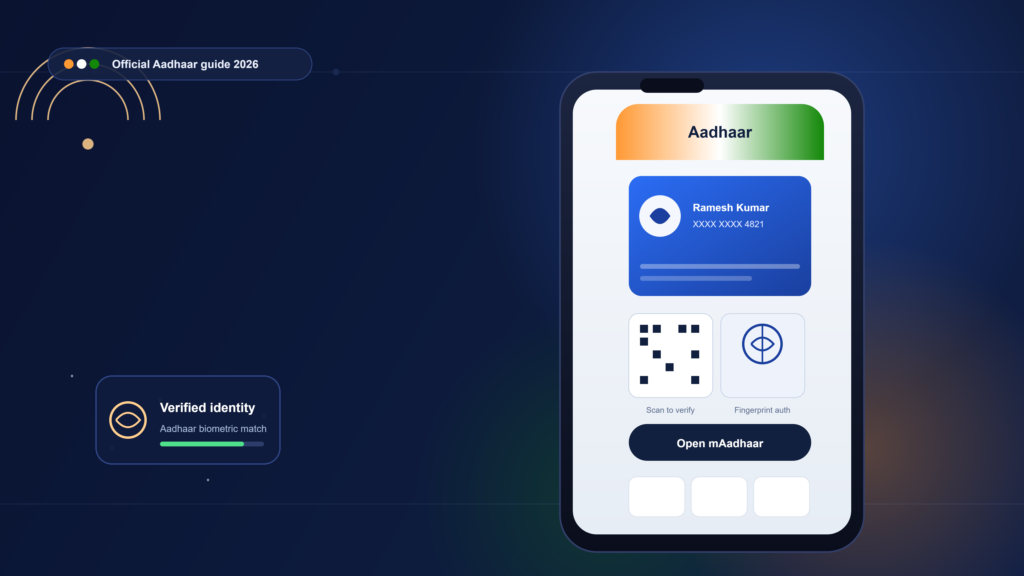
Aadhaar App: The Complete 2026 Guide to Download, Setup, and Security Features
Most people who search for “Aadhaar app” are trying to solve a specific, immediate problem: they need to prove their identity somewhere — a hotel counter, a hospital admission desk, a SIM purchase — and they don’t have the physical card on them. The Aadhaar app exists precisely for that moment. It turns a twelve-digit number and a laminated card into something that lives on a phone, can be shown as a QR code, and can be locked down so a stranger who somehow gets your Aadhaar number still can’t use it against you.
There’s also a timing wrinkle that’s confusing a lot of people right now. For years, the relevant app was called mAadhaar. As of mid-2026, it isn’t anymore. The Unique Identification Authority of India (UIDAI) has retired mAadhaar and replaced it with a new, simply named “Aadhaar” app that does more and shares less by default. If you’ve been putting off updating, or you installed something recently and aren’t sure if it’s the right one, this guide walks through both apps, what changed, and exactly how to get set up correctly today.
What Is the Aadhaar App, Exactly?
The Aadhaar app is UIDAI’s official mobile application for carrying, verifying, and managing your Aadhaar identity from a smartphone. <cite index=”6-1″>It’s an official mobile application developed by UIDAI that enables digital, offline, and consent-based Aadhaar verification, letting users verify their identity using face authentication or QR scanning without revealing their Aadhaar number.</cite>
Think of the difference between three things people often lump together:
- The physical Aadhaar card or PVC card — a plastic or paper token you keep in your wallet.
- The e-Aadhaar PDF — a downloadable, digitally signed document you print or store as a file.
- The Aadhaar app — a living, interactive tool that can generate a QR code on demand, lock your biometrics, show your authentication history, and update certain details without a trip to an enrolment centre.
The app is the only one of the three that lets you actively control how your identity gets used in real time, which is why UIDAI has spent the last year pushing it as the primary channel for everyday verification.
The mAadhaar-to-Aadhaar Transition: What Actually Changed
This is the part of the story that trips people up, so it’s worth being precise about the timeline.
<cite index=”6-1″>The new Aadhaar app was officially launched by UIDAI on 28 January 2026</cite>, initially as a parallel option alongside the older mAadhaar app. <cite index=”9-1″>UIDAI confirmed the shift in a message posted on X, telling residents that mAadhaar would discontinue soon and urging them to download the new Aadhaar app for faster access and smarter features.</cite> By early summer, the transition became official: <cite index=”7-1″>UIDAI released the new Aadhaar app in phases, officially replacing mAadhaar, which was retired on 30 June 2026.</cite> <cite index=”7-1″>The rollout was staged deliberately so no one lost access all at once, and UIDAI kept the old app functional for a transitional period while promising that no data would be lost in the switch.</cite>
Why did UIDAI replace it at all? The short answer is exposure. <cite index=”9-1″>The older mAadhaar app frequently displayed full Aadhaar details during authentication, while the new app was redesigned specifically to reduce how much personal information gets shown and to add sturdier verification steps before anyone can get in.</cite> In practical terms, that means the new app defaults to proving something about you — that you’re over 18, that your name matches a booking — without necessarily revealing your Aadhaar number or full profile at all.
What’s New in the Aadhaar App
- Face authentication — a step beyond fingerprint or iris, useful when a fingerprint scanner isn’t handy or hygiene is a concern (hospitals, for instance).
- Consent-based, selective QR sharing — <cite index=”9-1″>secure QR-based Aadhaar sharing designed to streamline in-person verification at hotels, hospitals, and government offices.</cite>
- Authentication history — <cite index=”2-1″>a log of when and where your Aadhaar was authenticated</cite>, so you can spot unfamiliar activity rather than wondering in the dark.
- Biometric controls in one place — <cite index=”9-1″>users can lock or manage fingerprint, face, and iris authentication settings directly within the app</cite>, which UIDAI positions as protection against misuse on shared or lost devices.
- Multi-profile family management — <cite index=”6-1″>the app supports managing up to five family Aadhaar profiles</cite>, so a parent can hold verified access for children or elderly relatives in one place.
If you’re still running mAadhaar, it may continue to open for a while, but it’s no longer the app UIDAI is maintaining going forward — everything from bug fixes to new features is landing in the new Aadhaar app instead.
How to Download and Set Up the Aadhaar App
Before anything else: only install from the official UIDAI listing. <cite index=”6-1″>UIDAI explicitly advises verifying that the developer name reads “UIDAI” before downloading</cite>, because look-alike apps mimicking government identity tools are a recurring phishing pattern in India. If you search generically in an app store, cross-check the developer field, not just the icon or app name.
Setup Steps
- Download the app from the Google Play Store or Apple App Store, confirming the UIDAI developer listing.
- Choose your language. <cite index=”8-1″>Menus and labels are available in English plus twelve Indian languages — Hindi, Assamese, Bengali, Gujarati, Kannada, Malayalam, Marathi, Odia, Punjabi, Tamil, Telugu, and Urdu</cite> — though form fields themselves still accept English-only input, largely because regional-script typing on mobile keyboards remains unreliable for structured data entry.
- Verify your mobile number linked to your Aadhaar via OTP. <cite index=”9-1″>Some users may additionally be asked to complete face authentication during onboarding.</cite>
- Set a PIN or enable biometric unlock for the app itself, separate from your Aadhaar biometric lock.
- Enter your Aadhaar number and complete a second OTP verification. <cite index=”9-1″>UIDAI designed this two-stage process so identity is confirmed at multiple points rather than through a single login step.</cite>
That last point is worth pausing on: the extra friction isn’t a bug in the onboarding flow, it’s the actual security model. A single OTP can be intercepted; requiring both a device-level PIN/biometric and an Aadhaar-linked OTP means a compromised phone alone isn’t enough to impersonate you.
Switching from mAadhaar
If you’re migrating rather than starting fresh, the process is shorter: <cite index=”6-1″>download the new app, then log in using your existing mAadhaar credentials rather than re-entering everything from scratch, and you can uninstall mAadhaar once the new app is confirmed working.</cite>
Core Features and What Each One Is Actually For
Offline, No-Signal Verification
One underappreciated detail: <cite index=”6-1″>the app supports offline Aadhaar verification using QR codes and encrypted, stored credentials, so a scan can be verified even without an active internet connection</cite> — genuinely useful in rural areas or basement venues where signal drops.
To use it: open the app, select the offline or QR-scan option, and have the requesting party scan the code. <cite index=”6-1″>Details are verified instantly against the encrypted credential rather than a live server lookup.</cite>
Selective Data Sharing
Rather than exposing your full Aadhaar record, <cite index=”6-1″>you can generate a password-protected file and share only the specific fields a situation calls for — your name or your age, say — without disclosing the rest.</cite> This is the feature that quietly solves a long-standing complaint: why should a bar need your home address just to confirm you’re over 18?
Biometric Lock and Unlock
Locking disables fingerprint, iris, and face authentication against your Aadhaar number entirely, so <cite index=”2-1″>even if your Aadhaar number leaks, it can’t be used for biometric authentication until you deliberately unlock it, and UIDAI’s system re-locks automatically after a short window.</cite> The practical habit worth building: keep it locked by default and unlock only for the few minutes you actually need it — the auto-relock means you don’t have to remember to switch it back off.
PVC Card Ordering
Prefer a physical card anyway? <cite index=”2-1″>The app lets you order a PVC Aadhaar card for a fee, printed by UIDAI and delivered via India Post Speed Post to your registered address, typically within about 15 days.</cite> Fee history is worth flagging for anyone comparing older guides: <cite index=”8-1″>the PVC order rate has moved over time, having previously shifted from Rs 50 to Rs 75</cite> — so treat any specific number you read online as something to confirm in-app at checkout, not a fixed constant.
Managing Family Profiles
<cite index=”2-1″>A single installation can hold up to five Aadhaar profiles, each verified independently with an OTP sent to the mobile number registered against that specific Aadhaar.</cite> That constraint — needing access to each person’s registered number — is the real gatekeeper here, not a UIDAI-imposed limit on who counts as family. It works cleanly for a spouse or teenage children whose numbers you can access; it doesn’t work for an elderly parent whose registered number is a landline they no longer use, which is a common real-world snag worth planning around before you’re standing at a hospital counter needing it urgently.
Address and Detail Updates
<cite index=”6-1″>Mobile number and address updates can be completed directly in-app: navigate to the Update Aadhaar Details section, submit the new information, complete authentication, and pay the applicable fee before the change is processed into Aadhaar records.</cite> Separately, UIDAI has been running a free online document-update window — <cite index=”9-1″>extended through June 14, 2027</cite> — for residents updating supporting documents, which is worth checking if your update involves proof documents rather than just contact details.
Aadhaar App vs. Other Aadhaar Formats
| Format | Best for | Needs internet | Physical object required |
|---|---|---|---|
| Aadhaar app | Daily verification, hotel/hospital check-ins, selective sharing | No (offline QR supported) | No |
| e-Aadhaar PDF | Printing, situations demanding a paper copy | Yes, to download | Optional printout |
| PVC card | Wallet carry, offices that only accept a physical card | No | Yes |
None of these formats is strictly obsolete — the app is the most flexible for day-to-day situations, but a PVC card still earns its place for offices or checkpoints that haven’t caught up to QR-based verification, and a printed e-Aadhaar remains the fallback when a form explicitly demands a paper attachment.
Common Mistakes and How to Avoid Them
- Installing a look-alike app. Always check the developer name reads UIDAI before tapping install — this is the single most consequential mistake, since a fake app can harvest the very data the real one protects.
- Never enabling the biometric lock. Many users install the app, verify once, and never touch the lock setting again — leaving biometric authentication permanently open to misuse if the Aadhaar number is ever exposed elsewhere.
- Assuming mAadhaar still gets updates. It’s retired. Continuing to rely on it means missing security patches and losing access to newer verification methods that hotels or offices may start expecting.
- Forgetting family members’ registered numbers. Add family profiles before you urgently need them — discovering a relative’s OTP can’t reach their old number is a bad time to learn the five-profile system’s real constraint.
- Treating fees as fixed. PVC and update charges have changed before; confirm the current fee in-app rather than trusting an older article’s number.
Troubleshooting: Known Issues in 2026
Recent app-store feedback flags a couple of specific glitches worth knowing about before you assume your phone is at fault: <cite index=”3-1″>some users report the app getting stuck on a loading screen after login, and a similar freeze when trying to unlock biometrics that had been locked — an issue serious enough that it could block access during an emergency verification.</cite> Others have hit <cite index=”3-1″>a JSON-related error during SIM selection at login that causes the verification step to fail outright.</cite>
If you hit either: force-close and reopen the app, confirm you’re on the latest version (UIDAI has been shipping frequent updates during the migration period), and if the freeze persists, keep a downloaded e-Aadhaar PDF or the PVC card as backup rather than relying solely on the app in a time-sensitive situation.
Future Outlook
UIDAI’s direction is clearly toward less exposure, more control: face authentication and selective sharing aren’t side features, they’re the design philosophy going forward. Two developments worth watching:
- Wallet integration. <cite index=”9-1″>Google has added support for Aadhaar Verifiable Credentials in India, letting users store and present a digital Aadhaar ID directly through Google Wallet</cite> — a sign that Aadhaar verification may increasingly live inside general-purpose wallet apps, not just UIDAI’s own app.
- No forced preloading. <cite index=”9-1″>Despite UIDAI requesting that smartphone makers preload the Aadhaar biometric app, India confirmed it will not force OEMs to preinstall it</cite> — so adoption will keep depending on residents choosing to install it themselves, which is likely to keep driving UIDAI’s public migration campaigns for some time yet.
FAQ
Is mAadhaar still available? <cite index=”5-1″>mAadhaar remains available for some users, but UIDAI has announced it is being phased out in favour of the new Aadhaar app, and residents are advised to migrate since the new platform will become the primary Aadhaar mobile application.</cite>
What happens to my data when I switch apps? <cite index=”7-1″>UIDAI has stated that data stays intact through the migration and nothing is lost in the switch.</cite>
Can I use the new Aadhaar app on iPhone? <cite index=”5-1″>Yes — the new Aadhaar app is available on both Android and iPhone, downloadable directly from the Google Play Store or Apple App Store.</cite>
How many family members’ Aadhaar can I manage in one app? Up to five profiles, each verified independently by OTP sent to that person’s own registered mobile number.
Does the app work without internet? Yes, for QR-based verification — the app supports offline verification using encrypted, locally stored credentials.
Is there a fee to order a PVC Aadhaar card through the app? Yes, a fee applies (historically Rs 50, later revised to Rs 75), with delivery by India Post Speed Post typically within about 15 days. Confirm the current fee in-app, as it has changed before.
What should I do if the app freezes after login? Force-close and reopen, confirm you’re on the latest version, and keep a downloaded e-Aadhaar or PVC card as backup for time-sensitive verification needs while the issue is resolved.
Can I update my address through the app? Yes, through the in-app Update Aadhaar Details section, followed by authentication and the applicable fee.
Why did UIDAI replace mAadhaar instead of updating it? UIDAI redesigned the experience around reducing how much personal data is displayed during authentication and adding stronger verification layers — changes significant enough to warrant a new app rather than an incremental update.
Is downloading Aadhaar apps from outside the official app stores safe? No. UIDAI has repeatedly warned that unofficial or look-alike apps are a known phishing risk; always confirm the developer name is UIDAI before installing.
[…] Read Also: Aadhaar App 2026: Complete Guide to Download & Use […]